During creating email integration, QTicketing provide 2 type of SMTP mail integration
- Default SMTP (your.domain@qticketing.qiscus.com)
- Custom SMTP (using email mask like support@yourdomain.com)
To easier setting up the custom SMTP, QTicketing introducing setting up the smtp with template. This template will make you easily setup SMTP like GMail SMTP
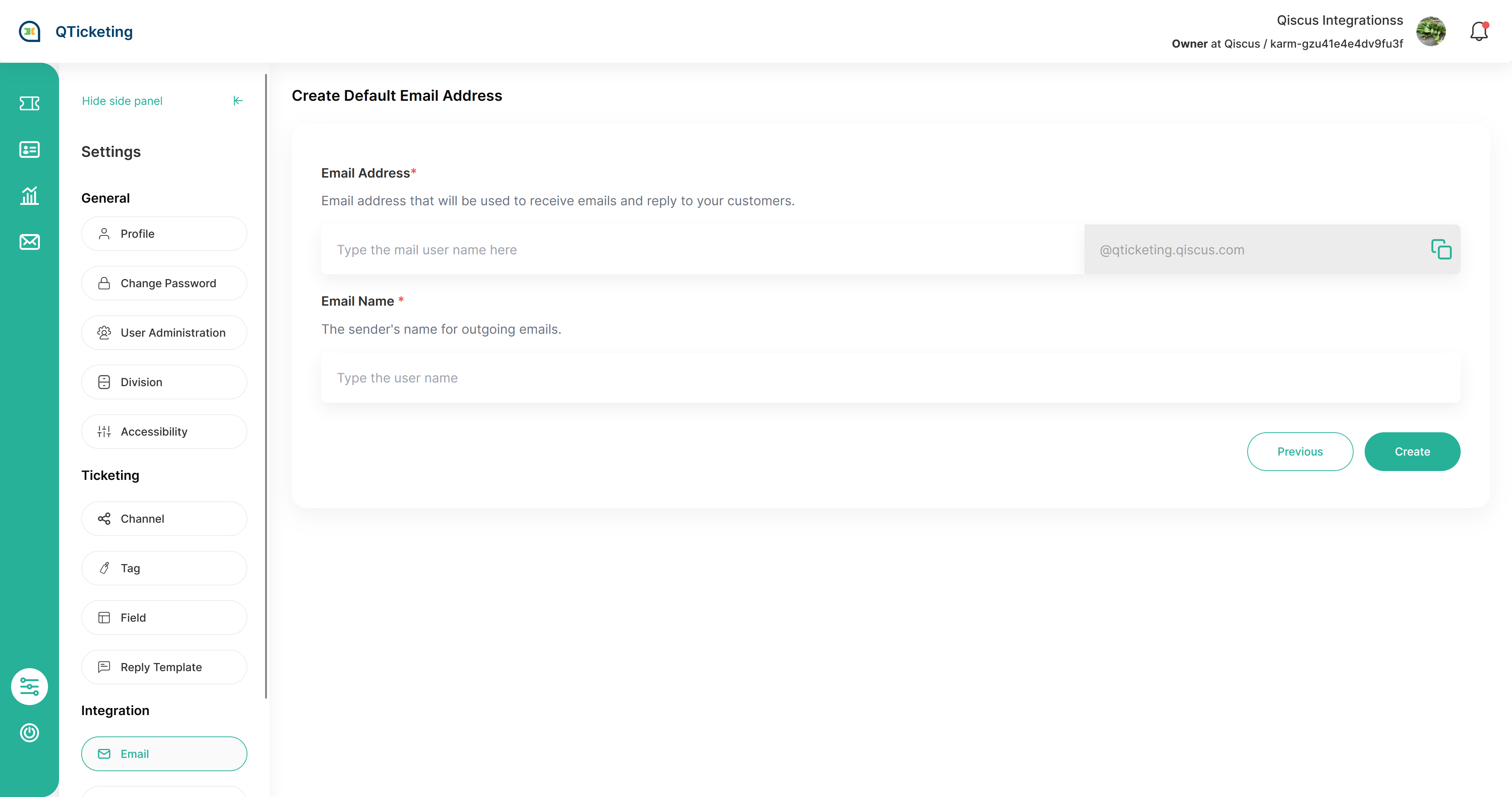
For default SMTP, what you need is just email address and the mail name. The email address will be used to send email and receiving email directly from customer and the mail name will be used as the email sender name.
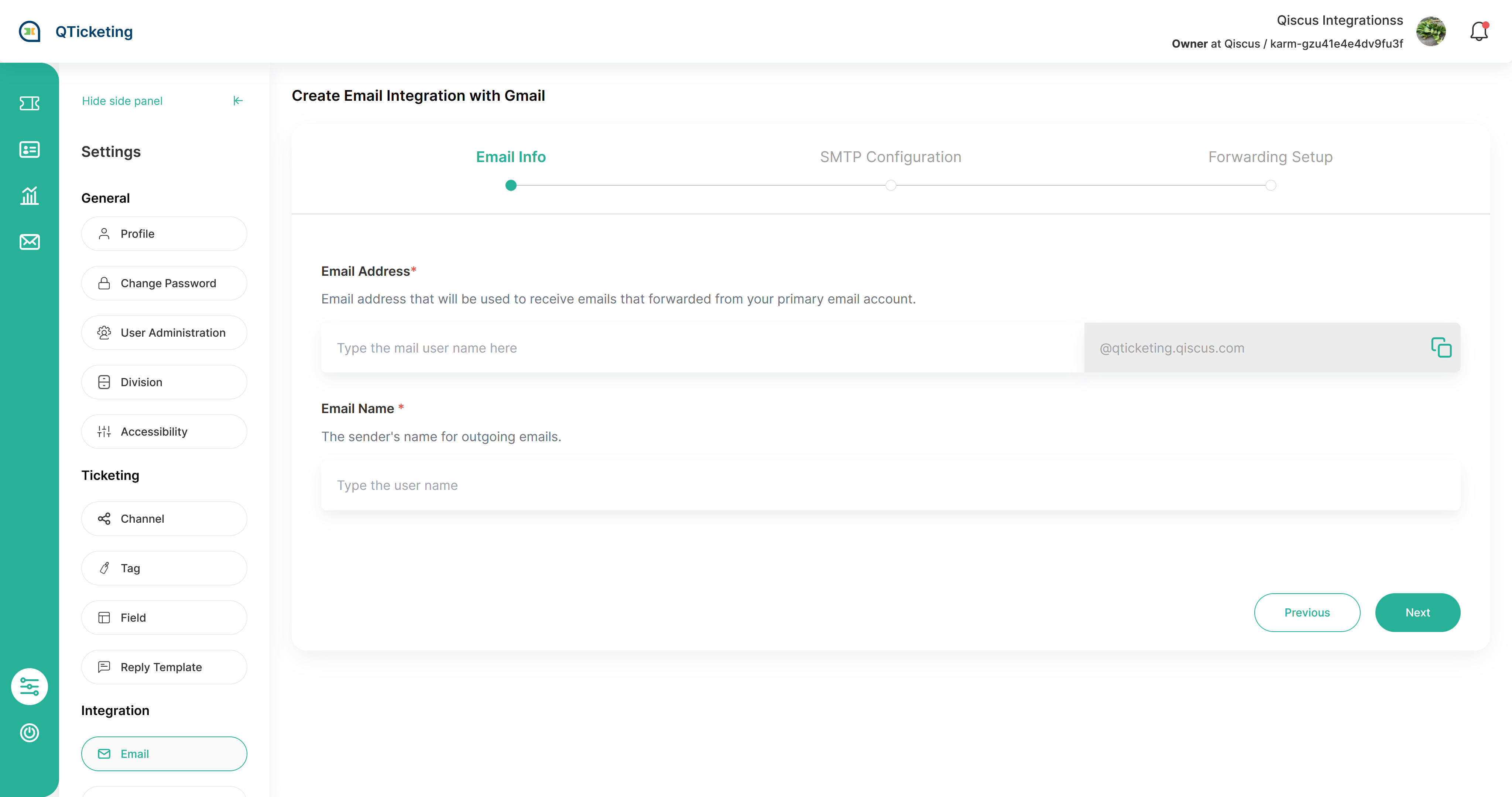
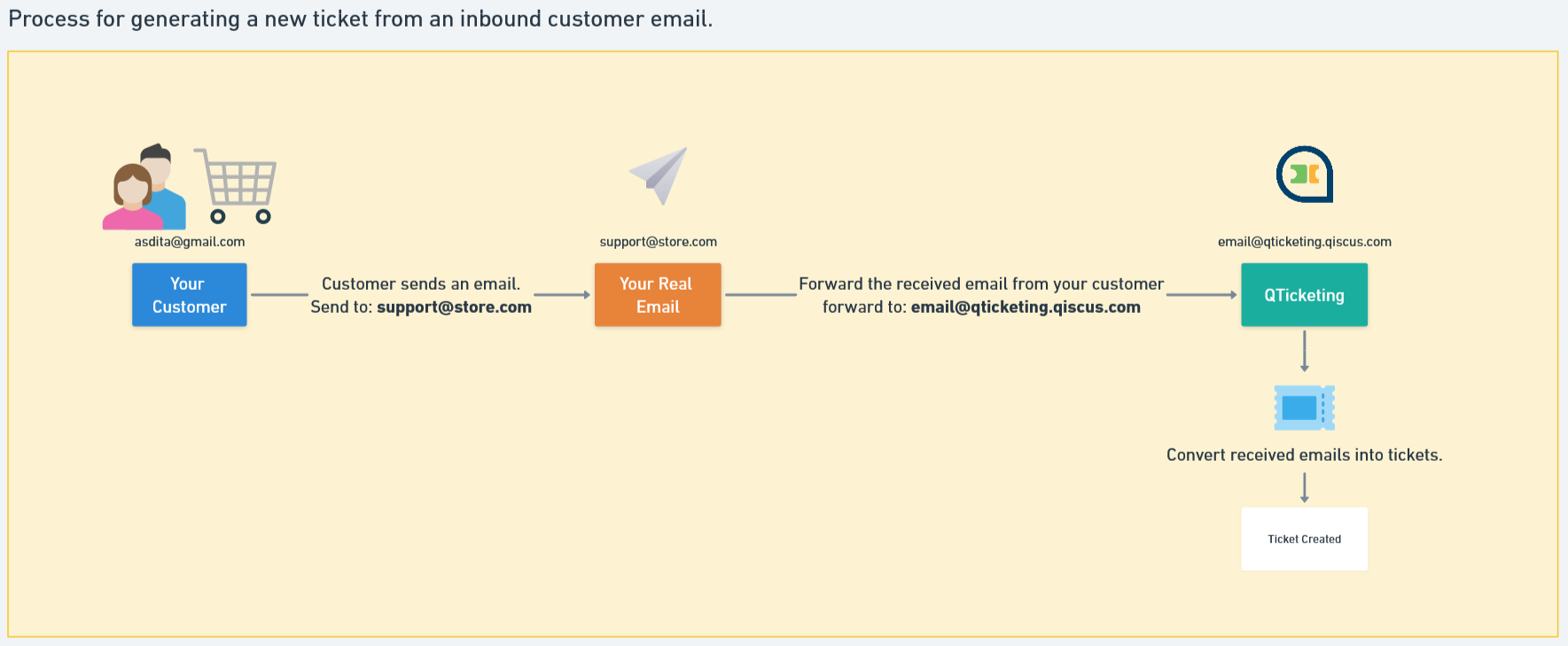
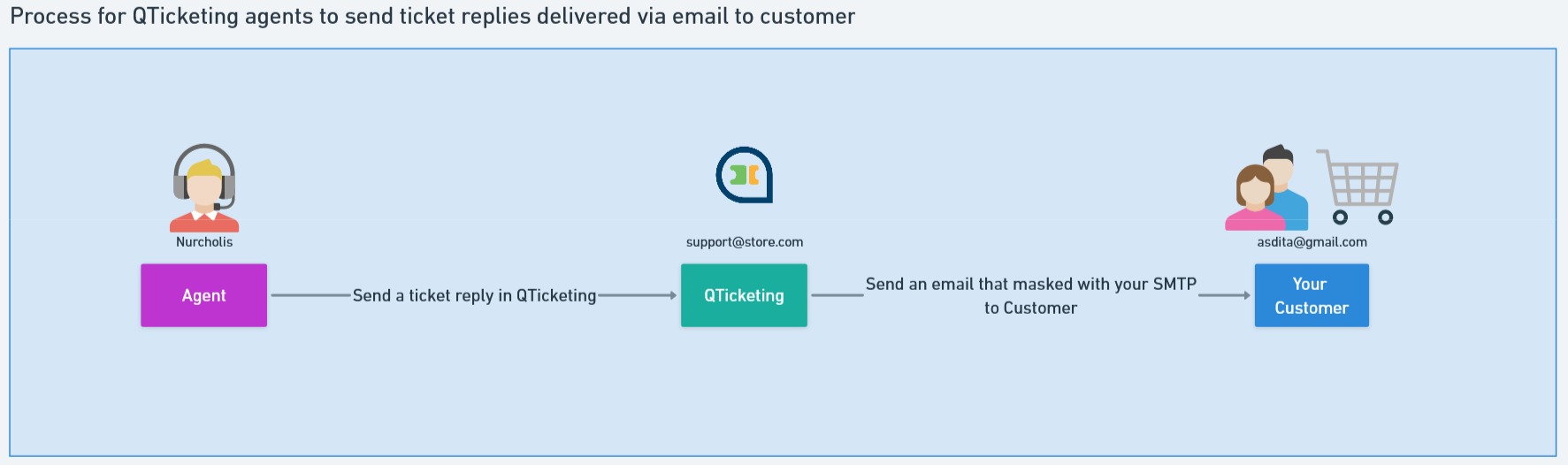
For Custom SMTP, it will be the process will be split to 2 steps. step to setup the custom smtp masker and forwarding rules setup. step to set up custom smtp are need for sending reply from QTicketing to your customer, and the forwarding rules setup are needed to receive email from your customer to QTicketing then convert it as a ticket
Step 1 is to define the Email and Mail Name
- Mail Name
Step 2 is to create the SMTP integration
Step 3 is to setup forwarding email
Leave a Reply