Qiscus Shop provides several APIs that users can use to collaborate data between systems. Some APIs can be viewed and tested at https://shop.qiscus.com/public/openapi#/. To use our APIs, users are required to use authentication in the form of an API Key provided through the Credentials menu.
Use case for this API :
- Sync data from existing system to Qiscus Shop
- Onboard product product by Sync product data or Create a product
- Chatbot Collaboration
Listed of APIs
| Feature Name | Action | Method | Endpoint |
|---|---|---|---|
| Products | List Products | GET | /admin/api/v1/products |
| Create a Product | POST | /admin/api/v1/products | |
| Get a Product | GET | /admin/api/v1/products/{{id}} | |
| Delete a Product | DELETE | /admin/api/v1/products/{{id}} | |
| Update a Product | PUT | /admin/api/v1/products/{{id}} | |
| Products Variants | List product Variants | GET | /admin/api/v1/products/{product_id}/variants |
| Create a Product Variant | POST | /admin/api/v1/products/{product_id}/variants | |
| Get a Product Variant | GET | /admin/api/v1/products/{product_id}/variants/{{id}} | |
| Update a Product Variant | PUT | /admin/api/v1/products/{product_id}/variants/{{id}} | |
| Delete a Product Variant | DELETE | /admin/api/v1/products/{product_id}/variants/{{id}} | |
| Variants | List Variants | GET | /admin/api/v1/variants |
| Get a Variant | GET | /admin/api/v1/variants/{{id}} | |
| Categories | List Categories | GET | /admin/api/v1/categories |
| Create a Category | POST | /admin/api/v1/categories | |
| Get a Category | GET | /admin/api/v1/categories/{{id}} | |
| Update a Category | PUT | /admin/api/v1/categories/{{id}} | |
| Delete a Category | DELETE | /admin/api/v1/categories/{{id}} | |
| Orders | List orders | GET | /admin/api/v1/orders |
| Create a Partial Order | POST | /admin/api/v1/orders | |
| Get an Order | GET | /admin/api/v1/orders/{{id}} | |
| Sync | List of Sync | GET | /admin/api/v1/syncs |
| Create a Sync | POST | /admin/api/v1/syncs | |
| Get a Sync | GET | /admin/api/v1/syncs/{{id}} | |
| List record of a Sync | GET | /admin/api/v1/syncs/{{sync_id}}/records | |
| Get a record of a Sync | GET | /admin/api/v1/syncs/{{sync_id}}/records/{{id}} |
Generate API Key
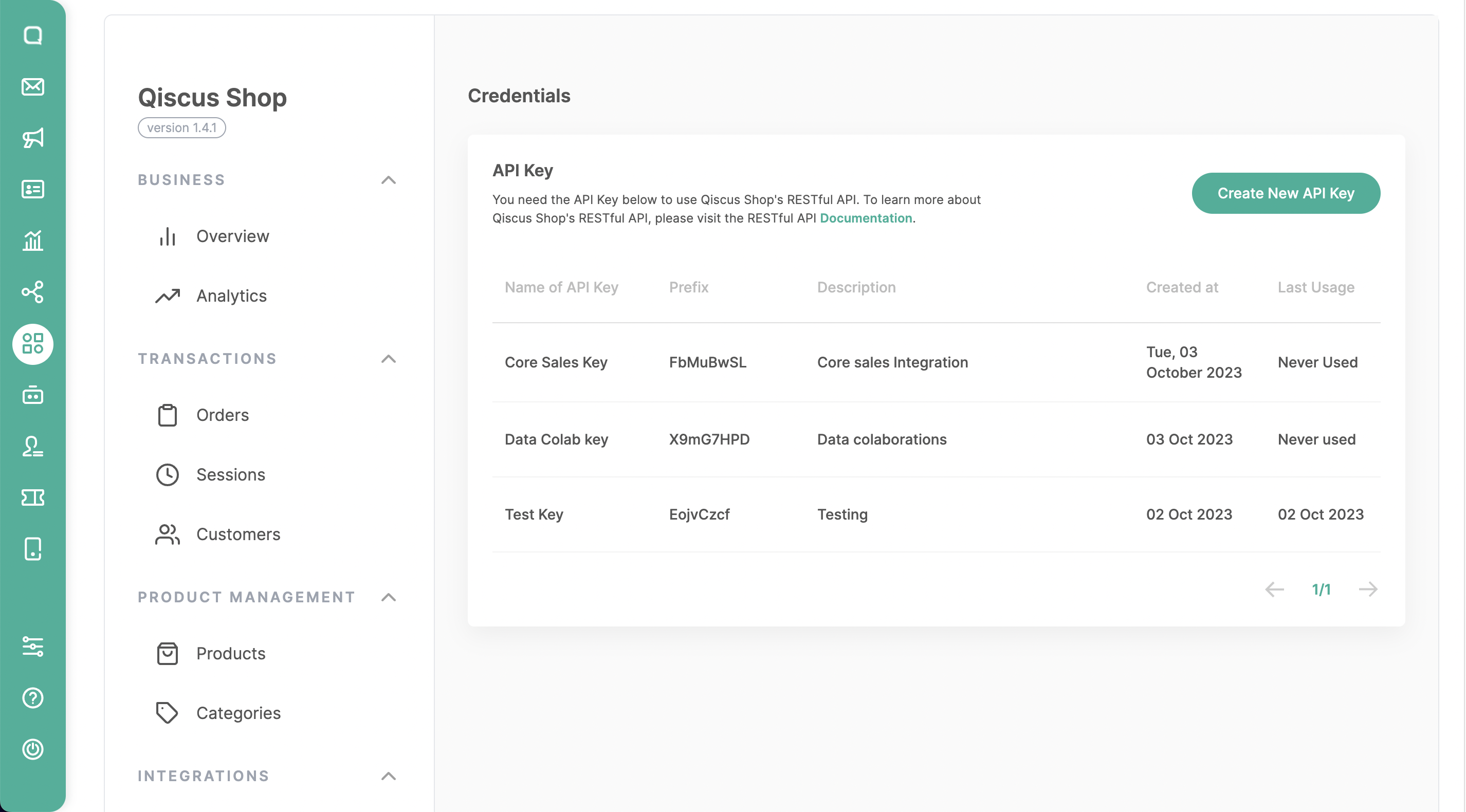
Open the Qiscus Shop addon page.
Click on the Credentials menu.
Add new API Key by clicking on Create API Key.
Fill in the Name & Description according to the purpose of the created API Key to make it easier for users to get information in the future.
Click Save.
If the API Key is successfully created, you can copy the API Key and store it in a secure place because the API Key will only be visible once upon successful creation.
- API Key components:
- Prefix key = qsk_FbM
- Main key = 3gSvDPT4qMWQncGyB2o *
- API Key components:
Now you can use the Qiscus Shop API with the Key.
Leave a Reply