Users can configure payment methods using Manual Bank Transfer or Payment Gateway.
Manual Bank Transfer
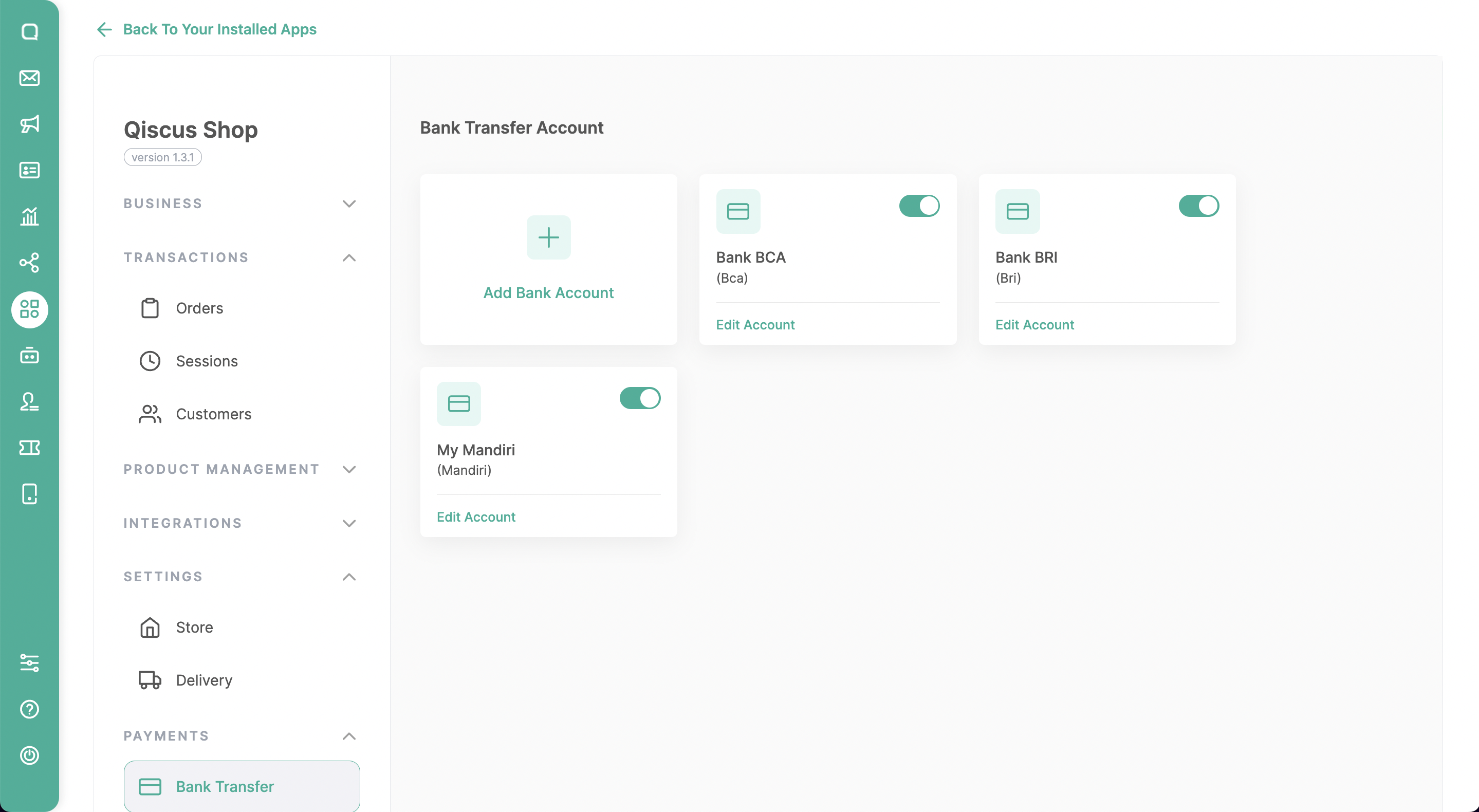
Businesses have the flexibility to add new bank accounts from a variety of options like BCA, BRI, BNI, Mandiri, and more. With the Manual Bank Transfer payment method, when customers make a transfer, all they need to do is send a payment confirmation along with their transfer receipt. The business will then verify the transaction with the help of a unique code, ensuring a smooth and secure process.
Payment Gateway
We support 2 popular payment gateways in Indonesia, namely Midtrans and Xendit, providing businesses with the option to choose a secure and convenient online payment platform according to their preferences. Qiscus Shop offers seamless integration with these Payment Gateways, so businesses need to either register for a new account or use their existing accounts on the chosen Payment Gateway platform.
By using the Midtrans payment gateway, businesses don’t need to manually change the status from unpaid to paid because it will be done automatically. This includes setting the order status to Canceled if the payment has expired. Additionally, customers are not required to send payment proof.
Midtrans Integration
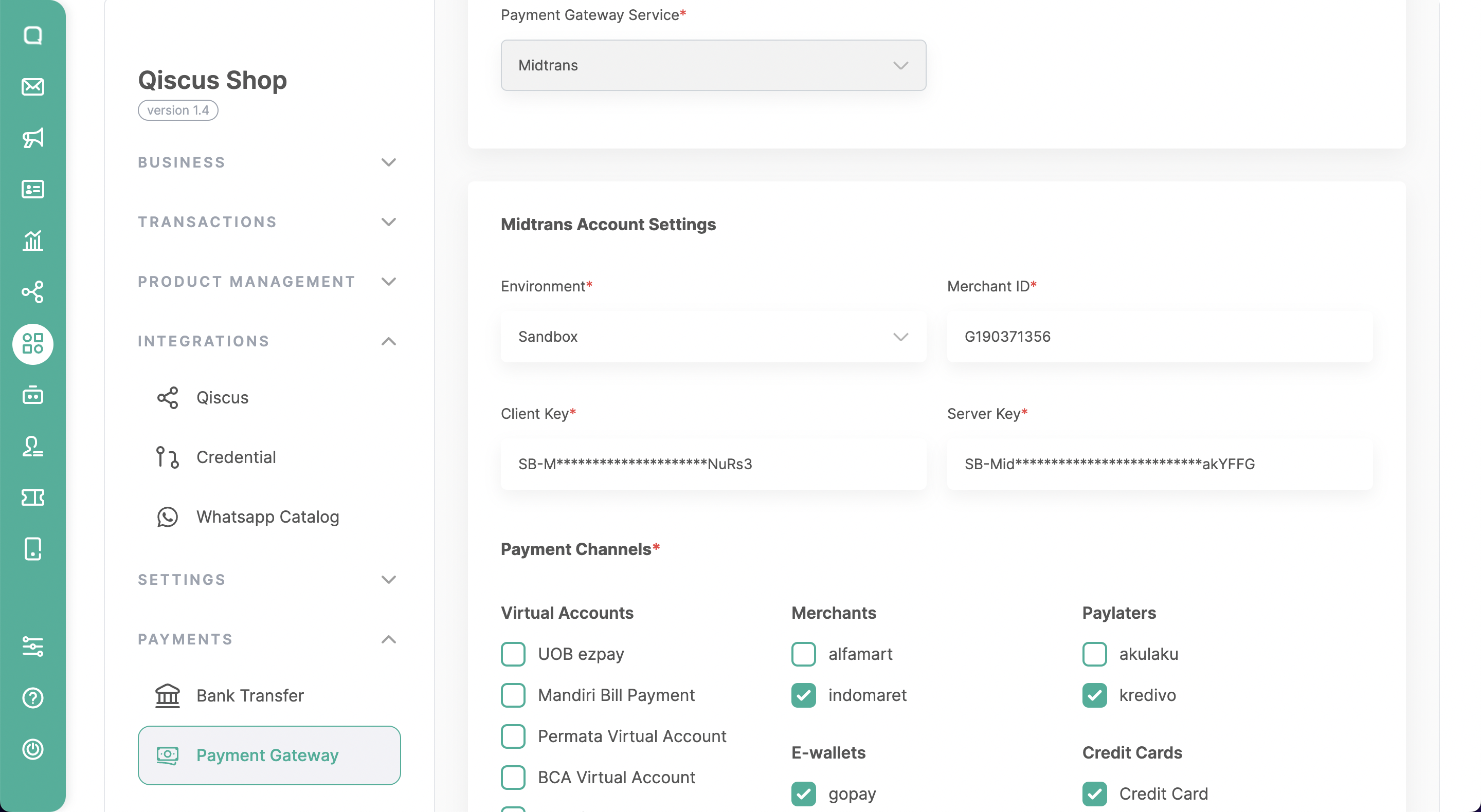
Here’s how to integrate with Midtrans Payment Gateway:
Open the Qiscus Shop Dashboard.
Click on ‘Payment Gateway‘ under the Payment menu group.
Click ‘Add Payment Gateway‘.
Enter the following details:
- Account Name.
- Account Descriptions
- Choose the Service Charge Type: (1) percentage or (2) fixed. If you don’t want to charge a service fee to the customer, you can leave this section empty.
Select ‘Payment Gateway Service: Midtrans‘ The detailed information required can be obtained from the Midtrans Dashboard under the ‘Settings’ > ‘Access Key,’ which includes:
- Environment: (1) Production, (2) Staging
- Merchant ID
- Client Key
- Server Key
- Payment Channels, including
- Virtual account (e.g., UOB ezpay, Mandiri Bill Payment, Permata Virtual Account, BCA Virtual Account, BNI Virtual Account, BRI Virtual Account, CIMB Virtual Account, Danamon Online).
- Merchants (e.g., Alfamart, Indomaret).
- E-Wallets (e.g., Gopay, Shopeepay).
- PayLaters (e.g., Akulaku, Kredivo).
- Credit Cards.
Then, click Save.
Xendit Integration
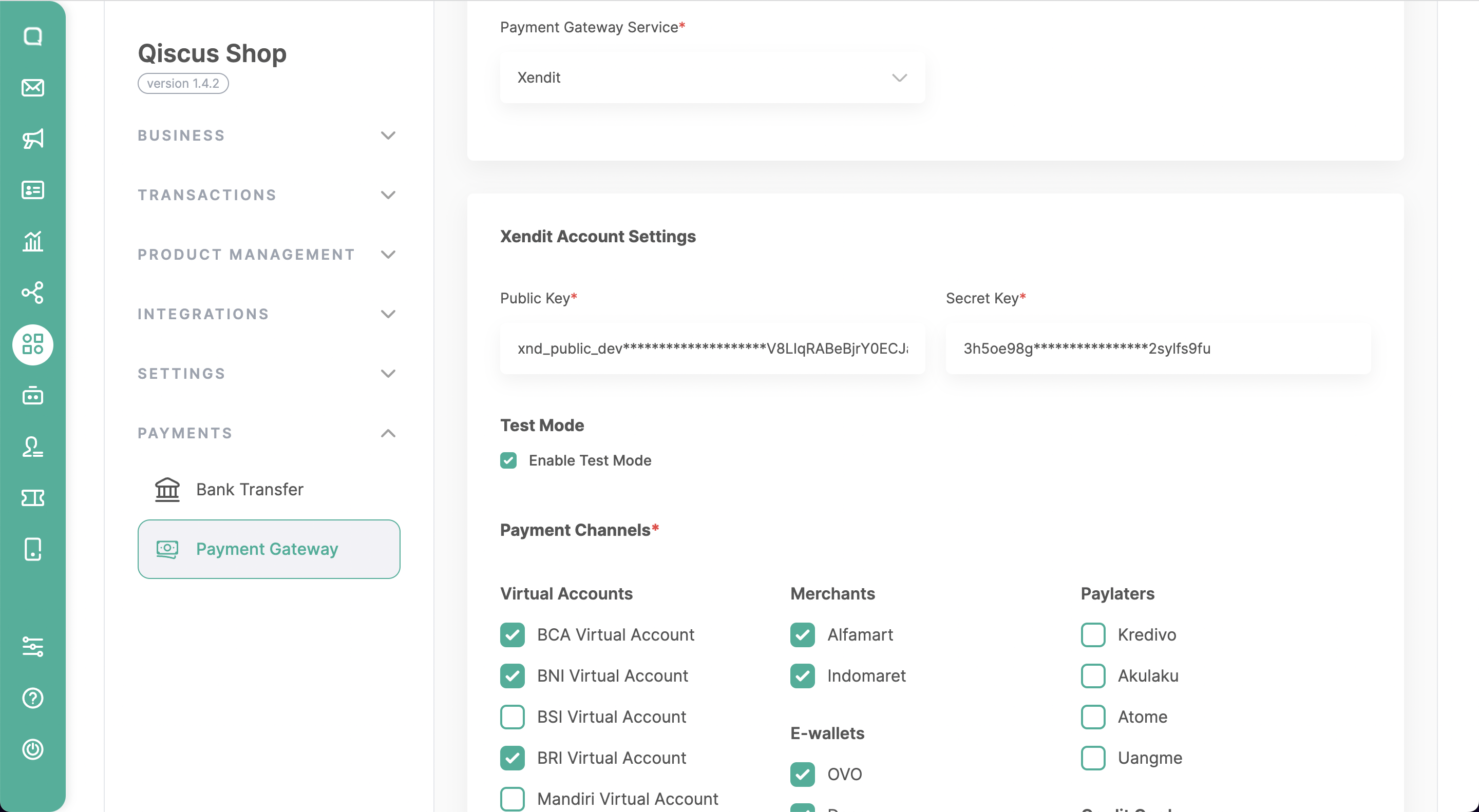
Here’s how to integrate with Xendit Payment Gateway:
Open the Qiscus Shop Dashboard.
Click on ‘Payment Gateway‘ under the Payment menu group.
Click ‘Add Payment Gateway‘.
Enter the following details:
- Account Name.
- Account Descriptions
- Choose the Service Charge Type: (1) percentage or (2) fixed. If you don’t want to charge a service fee to the customer, you can leave this section empty.
Select ‘Payment Gateway Service: Xendit‘ The detailed information required can be obtained from the Xendit Dashboard under the ‘Settings’ > ‘API Keys’. which includes:
- Secret Key -> Generate secret key
- Public Key
- Test Mode -> Enable Test Mode
- Payment Channels, including
- Virtual account (e.g., BCA Virtual Account, BNI Virtual Account, BSI Virtual Account, BRI Virtual Account, Mandiri Virtual Account, Permata Virtual Account, BNC Virtual Account, BSS Virtual Account, BJB Virtual Account, CIMB Virtual Account).
- Merchants (e.g., Alfamart, Indomaret).
- E-Wallets (e.g., OVO, Dana, Shopee Pay, LinkAja, AstraPay).
- PayLaters (e.g., Kredivo, Akulaku, Atome, Uangme).
- Credit Cards.
- Qris
- Debit (e.g., BRI)
Then, click Save.
Leave a Reply