Knowledge Base is a data source from your AI chatbot’s knowledge, so that all messages asked by customers, AI will understand the context and be adjusted to the knowledge base data source that you have trained in Robolabs.
You need to setup the Knowledge Base so AI can understand in more detail the source of the articles that will be trained in the Knowledge Base.
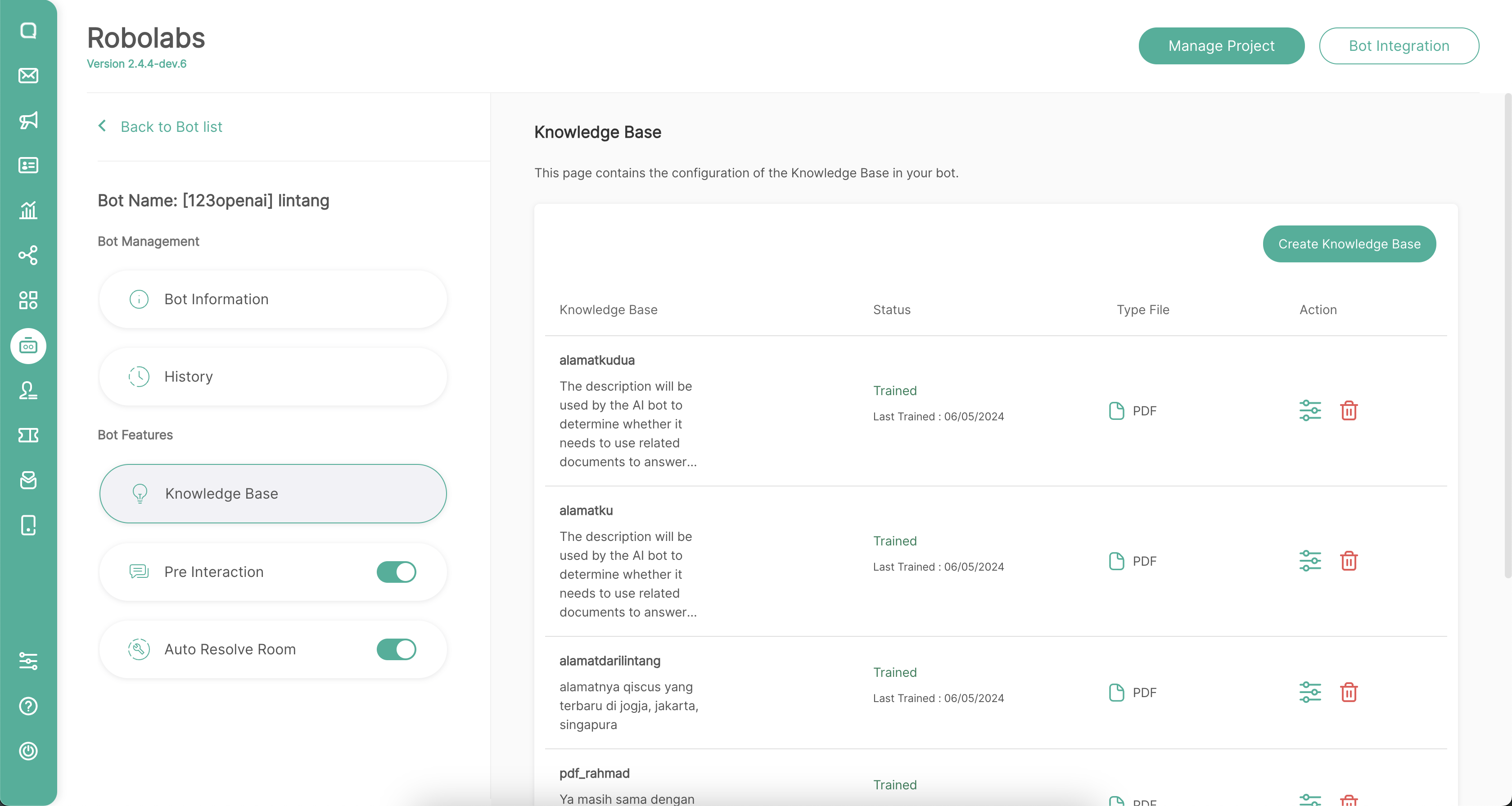
Currently you can upload knowledge base data sources from 2 sources, WordPress and PDF files. Click the Create Knowledge Base button to add it.
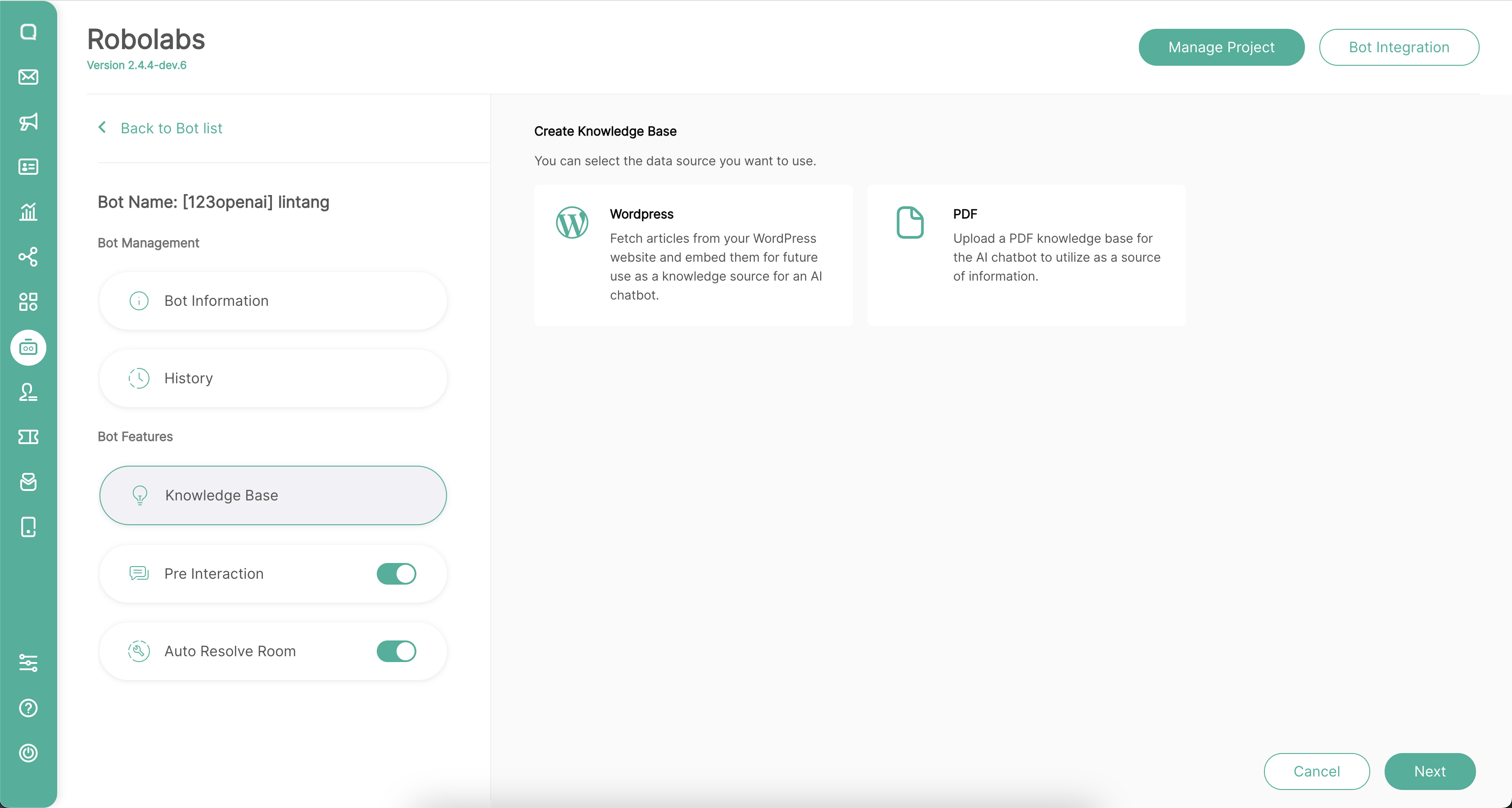
From WordPress
You can fetch articles from your WordPress website and embed them for future use as a knowledge source for an AI chatbot in Robolabs. This is the fastest way to enter knowledge in your AI without exporting to PDF or other files.
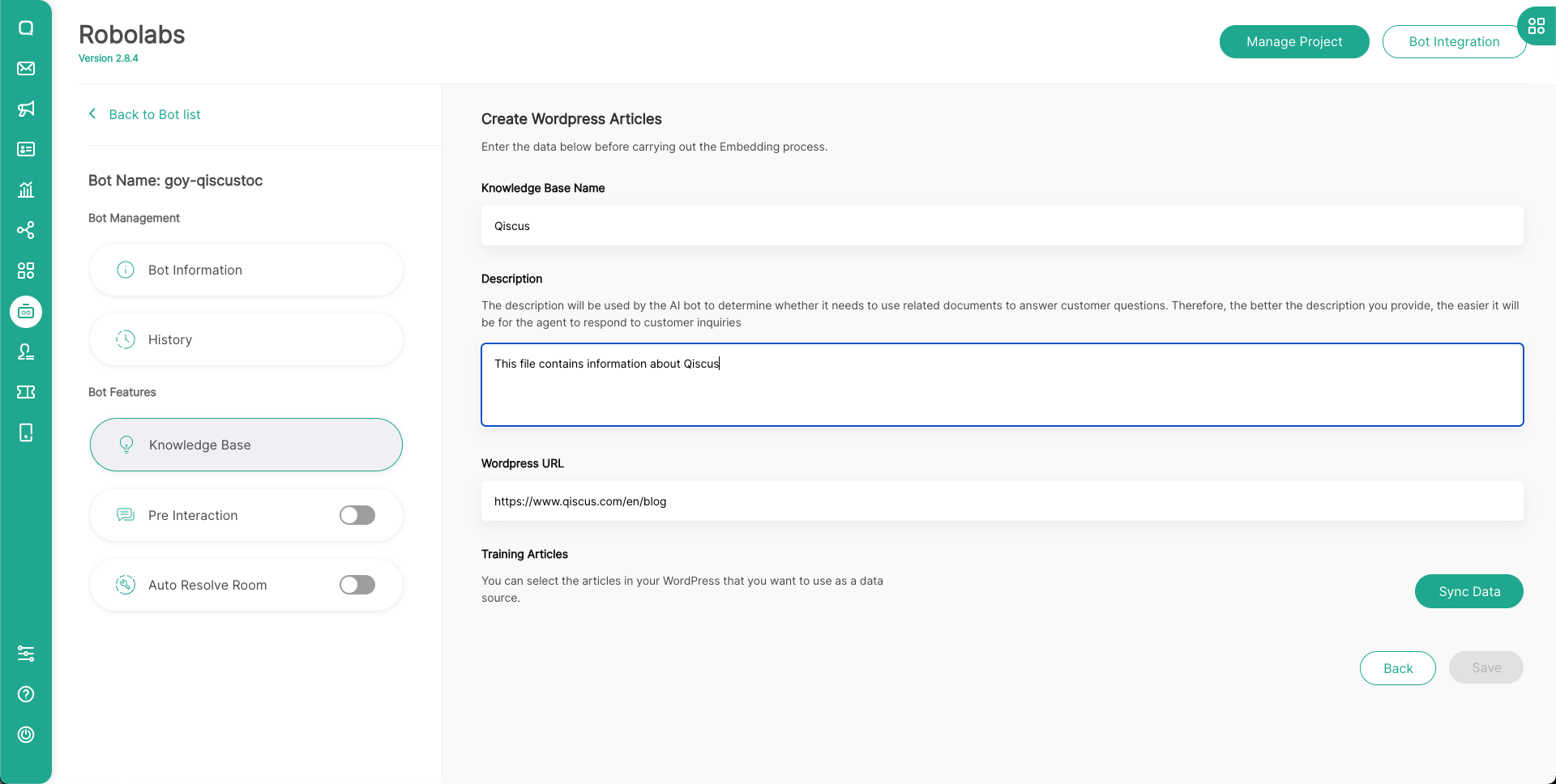
You can input the Knowledge Base Name and the description. The description will be used by the AI bot to determine whether it needs to use related documents to answer customer questions. Therefore, the better the description you provide, the easier it will be for the agent to respond to customer inquiries.
Input your WordPress URL here, then click Sync Data to process your data from WordPress.
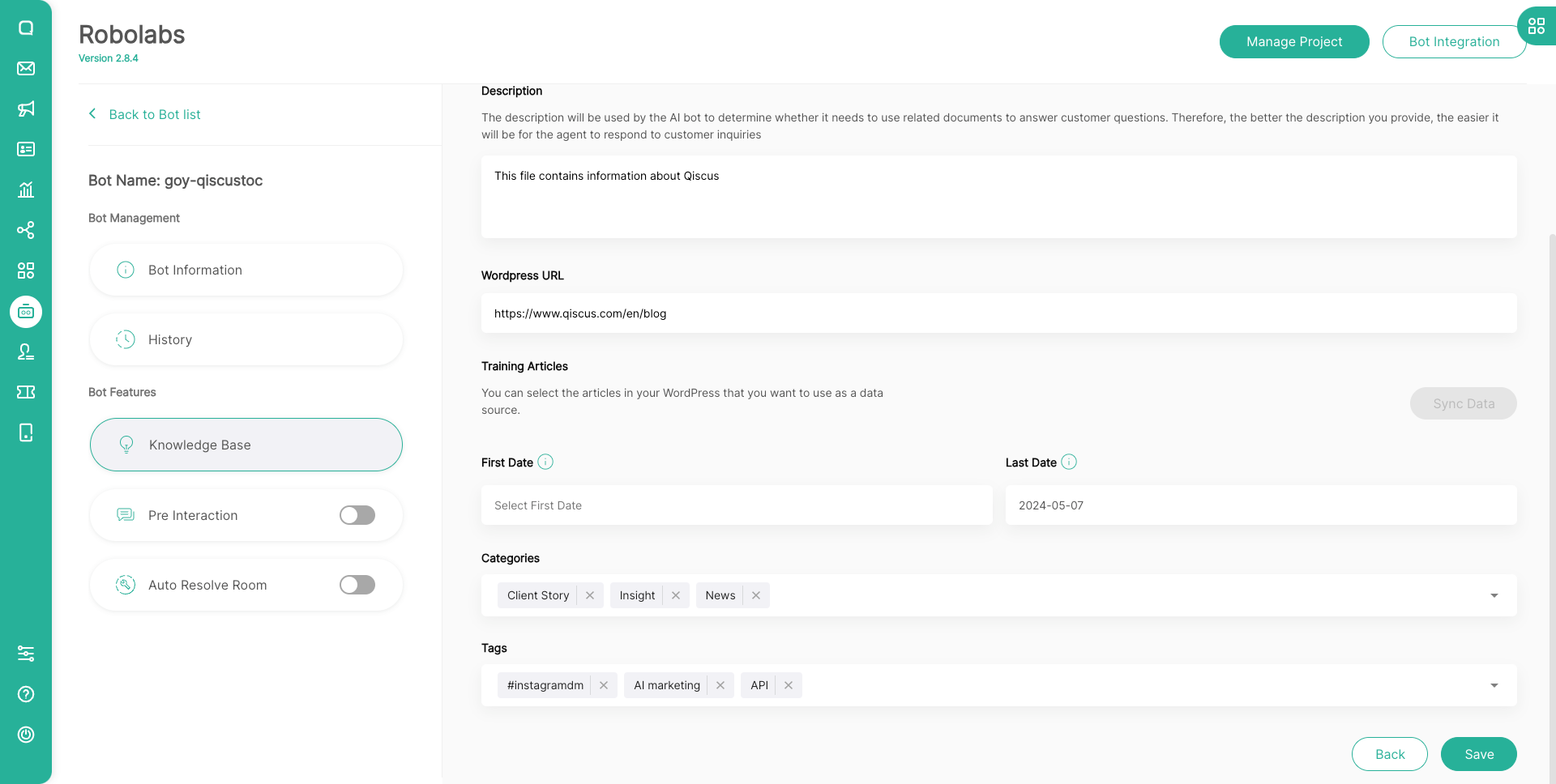
After that, you can choose the date the article was created, categories, and also tags on your WordPress website to train your AI in this knowledge base.
From PDF
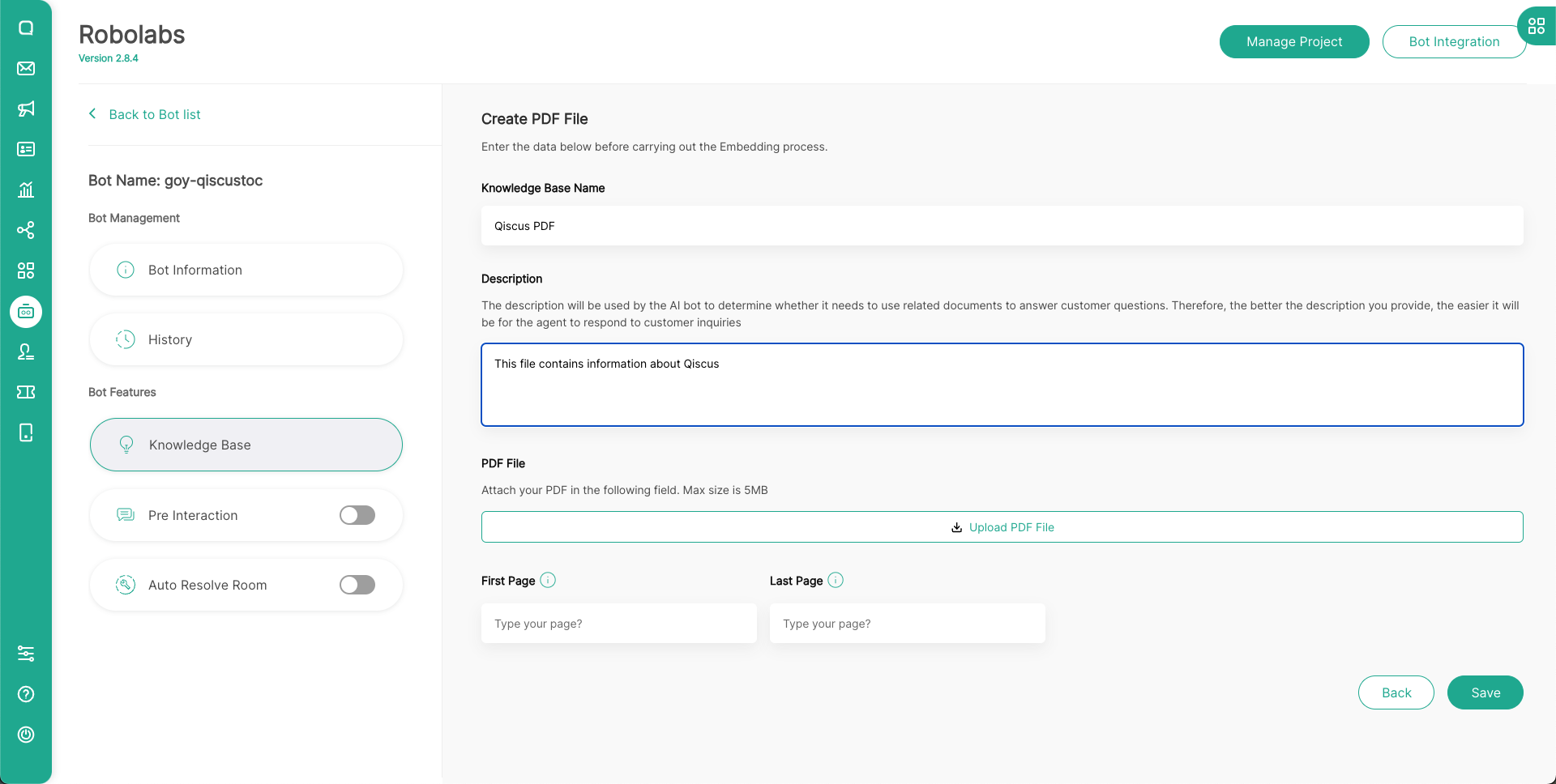
You can Upload a PDF knowledge base for the AI chatbot to utilize as a source of information in Robolabs.
You can input the Knowledge Base Name and the description. The description will be used by the AI bot to determine whether it needs to use related documents to answer customer questions. Therefore, the better the description you provide, the easier it will be for the agent to respond to customer inquiries.
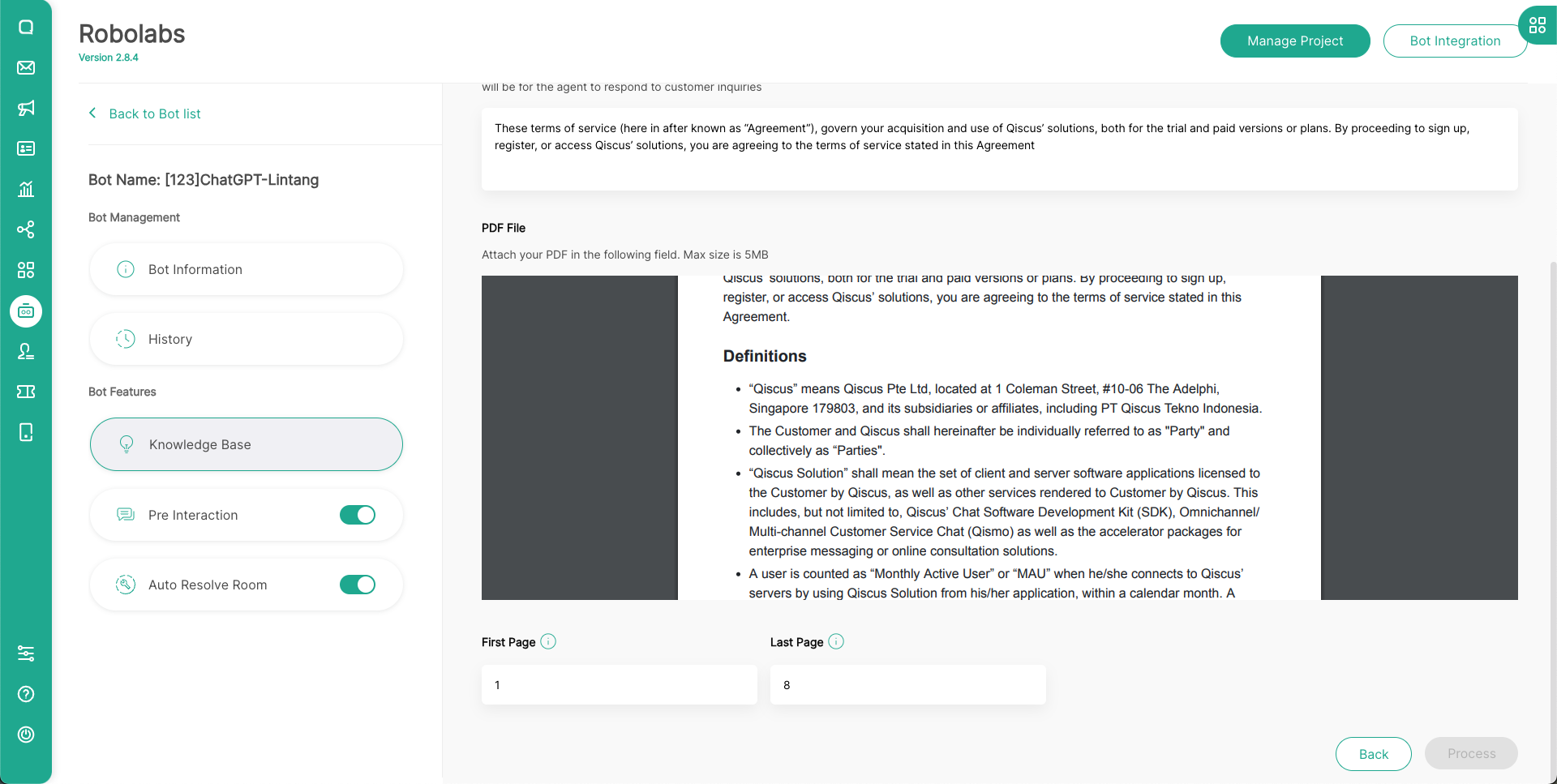
To upload your PDF, click Upload PDF File button in this page. Then you can choose the date the article was created in this PDF to train your knowledge base.
Leave a Reply