Customer data plays a central role in modern business operations. With customer data, you can create personalized experiences, improve marketing strategies, make informed business decisions, and stay competitive in today’s data-driven business landscape. However, companies often do not make optimal use of customer data.
Customer Data Platform (CDP) is usually used by businesses to collect, centralize, and manage customer data from various sources. CDPs are designed to create a unified and comprehensive customer profile. Customer data will be aggregated into a single database, which can be used to enhance the customer experience.
In Qiscus Omnichannel Chat, you will get a 360-degree view of a customer data to create powerful personalization. The Qiscus system will collect customer data from various sources such as inbound messages from ads, purchase history from Qiscus Chat n Shop, Qiscus CSAT, Qticketing, QCRM, and other external events.
Through CDP, you will get several benefits, including:
- Crafting Tailored Campaigns
Genuine personalization is the key to establishing meaningful and enduring customer relationships. Leveraging a CDP, you can harness the wealth of data available on each customer to deepen your understanding of them and craft personalized experiences that cater precisely to their preferences.
- Elevating Engagement
Brands and businesses gain comprehensive insights into how customers interact with their products and services, leading to enhanced engagement. This deeper understanding helps in fostering more meaningful connections with customers.
- Enhanced Customer Profiles
A CDP centralizes, consolidates, and standardizes all customer data points, resulting in enriched customer profiles. This comprehensive view allows businesses to understand their customers even more.
- Precision in Targeting
By capturing user activity, a CDP enables refined targeting strategies. This means reaching the right audience, at the right time, and through the right channels, optimizing the impact of marketing efforts.
There are several changes to the Customers, Inbox and Analytics menus related to the implementation of Customer Data Platform.
Customers Menu
In the new Customers menu, each customer will have source and platform data. Source shows the origin of the customer. There are 4 types of sources, Added by Admin, Ads, Organic, and Broadcast. Meanwhile, platform is the information from which the customer contacts you, for example from a web browser or via mobile apps.
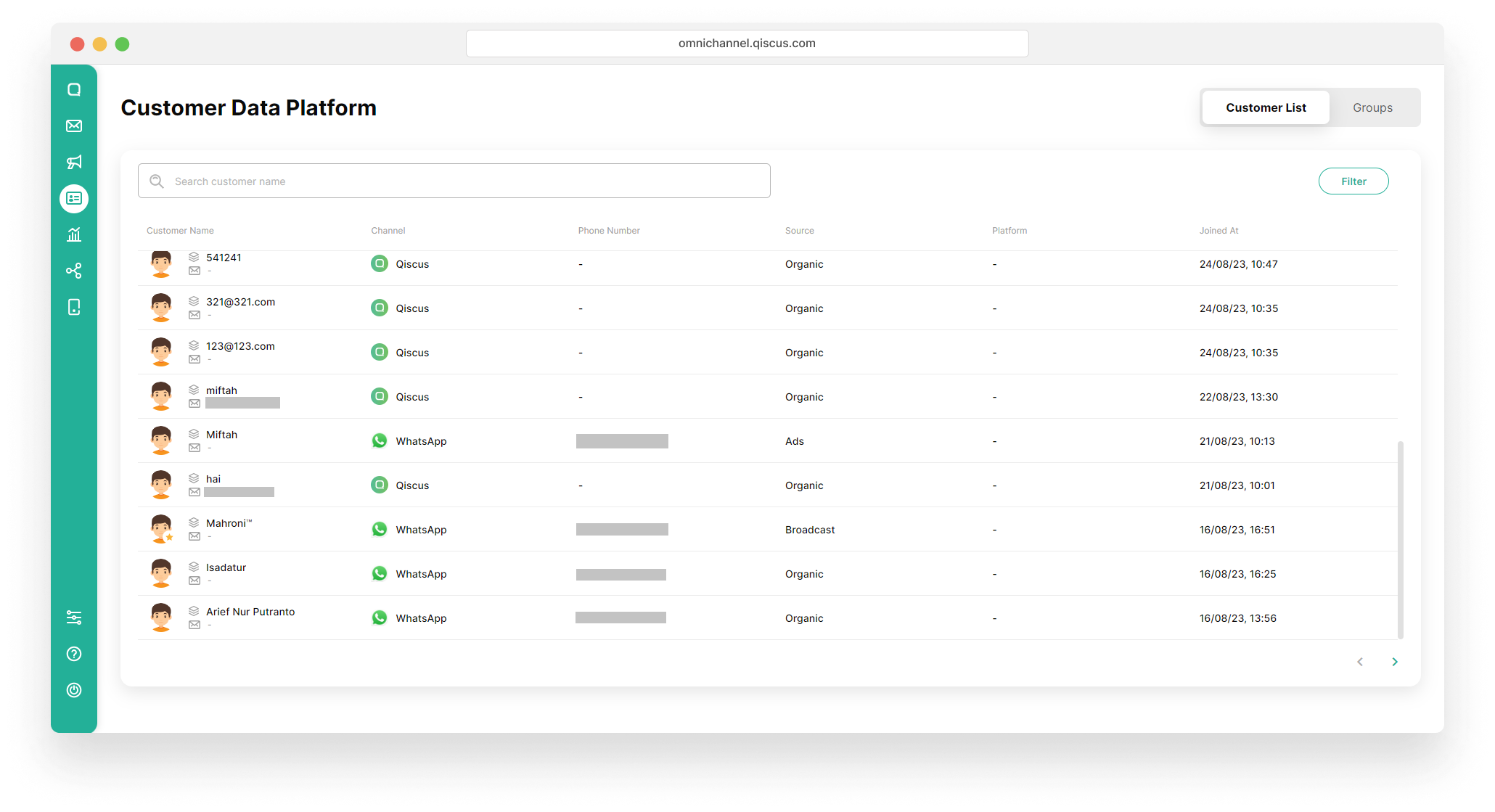
- Added by Admin = Customer data created when the business manually adds it from the inbox.> – Ads = Customer data created when a customer contacts the business through WhatsApp Ads.> – Organic = Customer data created when a customer directly contacts the business.> – Broadcast = Customer data created when the business sends a WhatsApp broadcast.
Apart from customer list data, sources can also be used as filters.
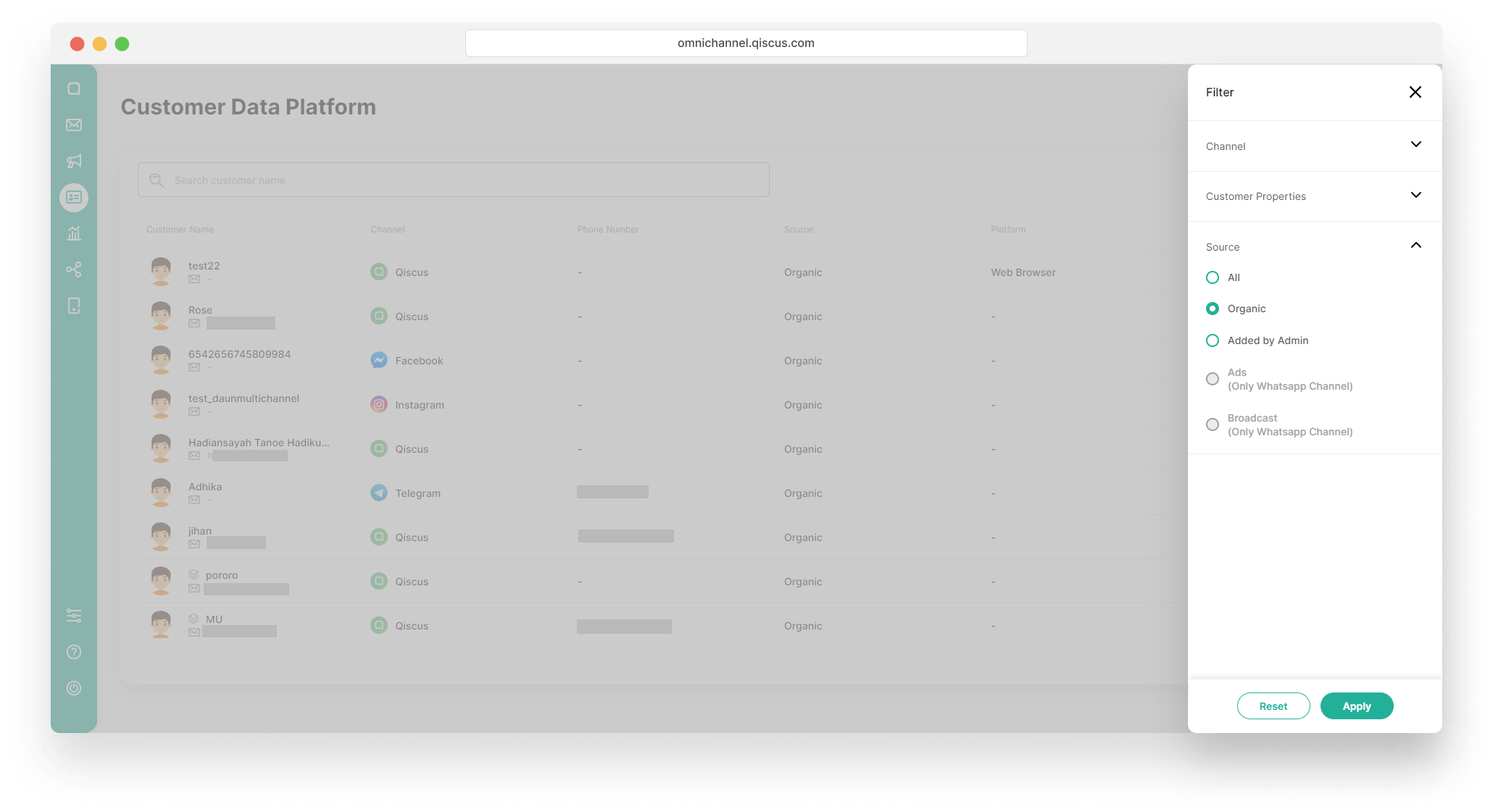
If you filter channels other than WhatsApp, the Ads and Broadcast sources will be automatically disabled.
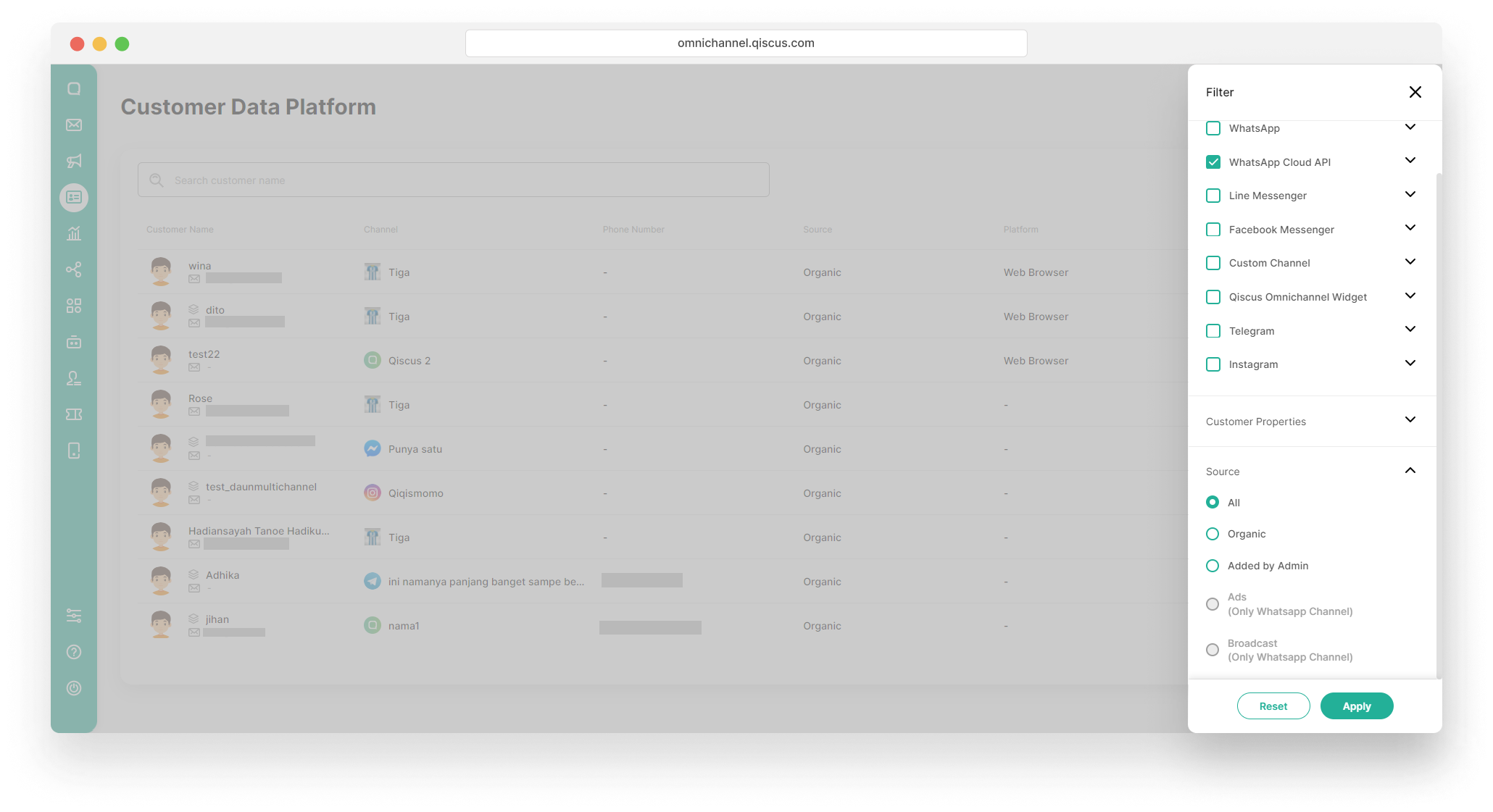
Previously, if you wanted to add members to a new or existing customer group, you could only filter customer data based on customer properties. But now, you can filter customer data based on channel, customer properties, and also source.
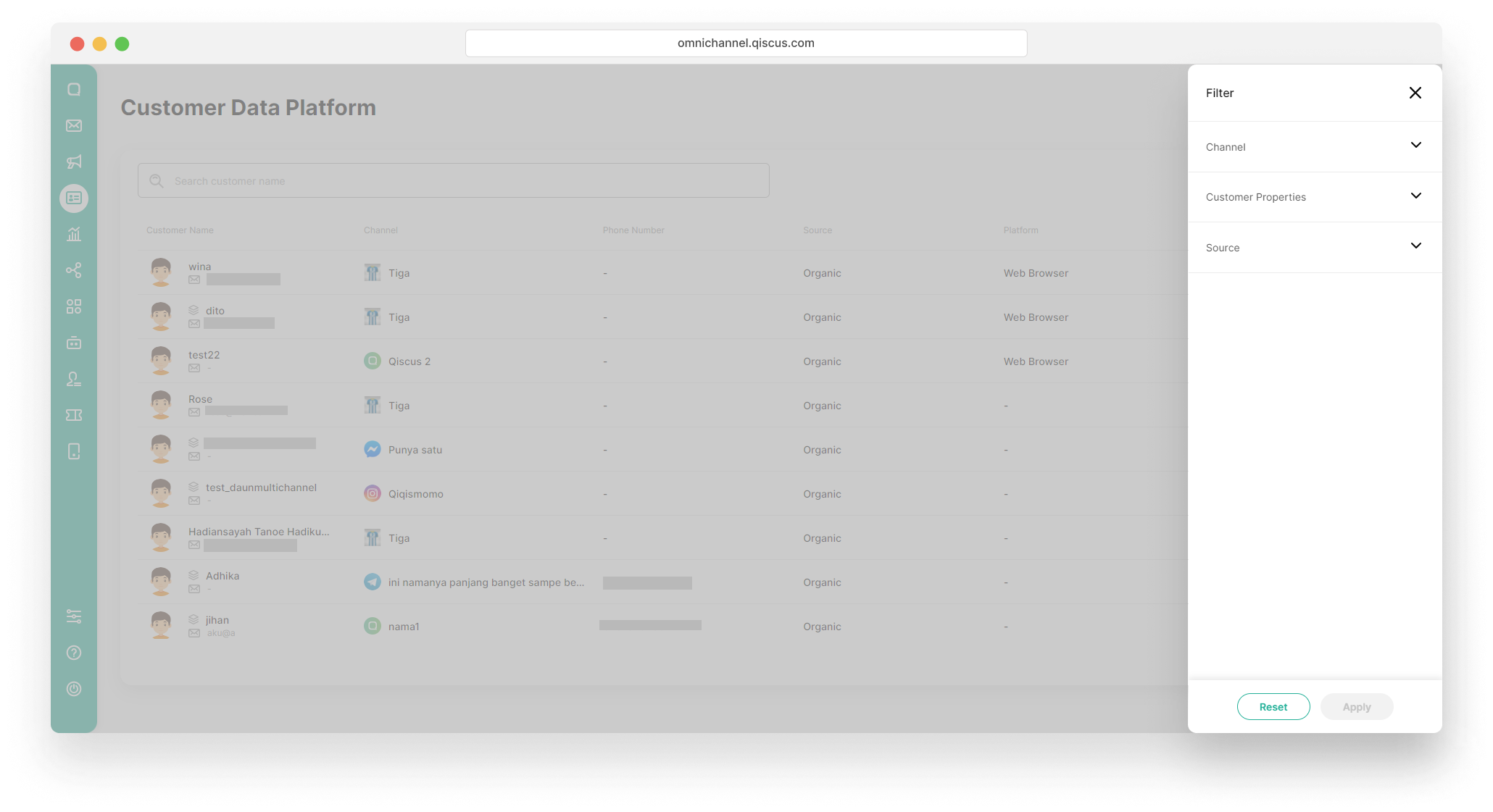
Source Ads and Broadcast will be disabled if you do not select WhatsApp channel. Vice versa, source Ads and Broadcast will be automatically enabled and can be selected if you select the WhatsApp channel. If you have selected a WhatsApp channel, then selected ads, then changed the channel filter to another channel such as Line, then the source will change to All.
Inbox Menu
The implementation of the Customer Dada Platform (CDP) also affects the Inbox menu, especially the Chat & Customer Info page. On this page, you will see the Activities section.
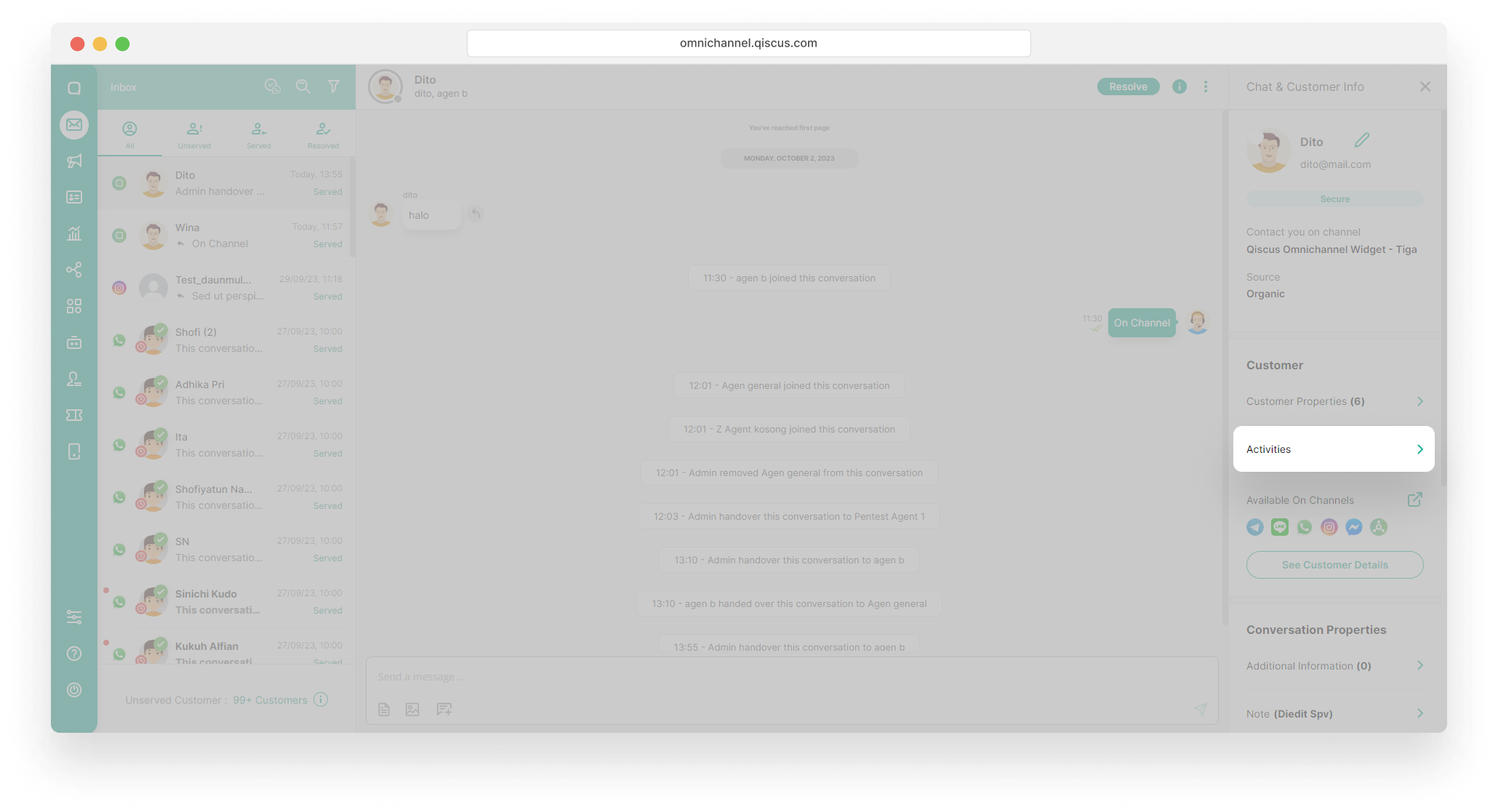
If you click on Activities, a series of events that have taken place in the customer’s chat room will appear.

CDP Add-ons
In our relentless pursuit of enhancing customer engagement, Qiscus is proud to introduce a powerful extension to our Customer Data Platform (CDP) – the CDP Add-ons. Designed with a focus on expanding the horizons of customer insights, these add-ons seamlessly integrate third-party data sources to provide a comprehensive 360-degree view of your customers.
Navigate to CDP Add-ons effortlessly from your Inbox. Access it via “Chat & Customer Info” or “Customer Details” for quick contextual information.
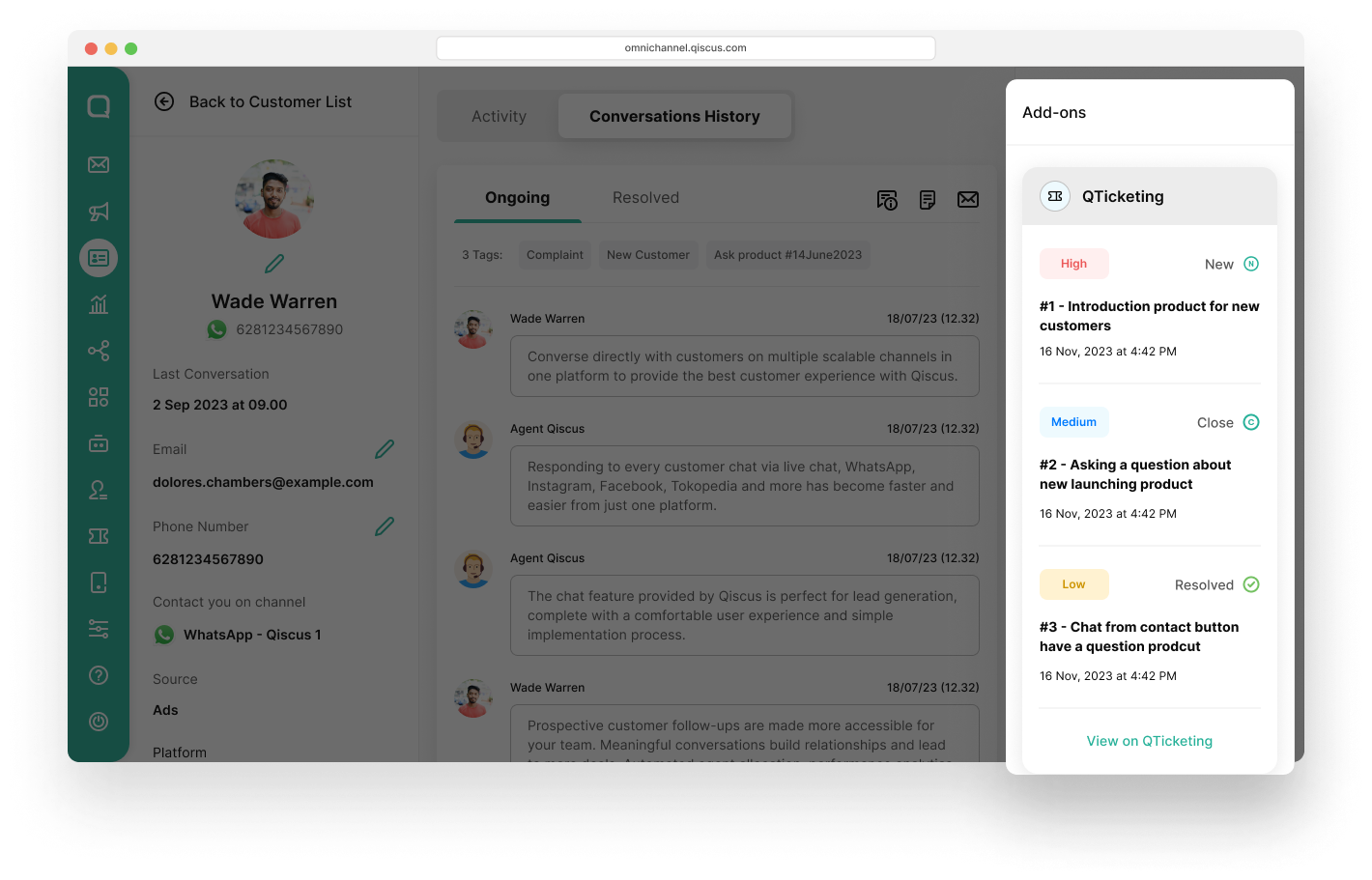
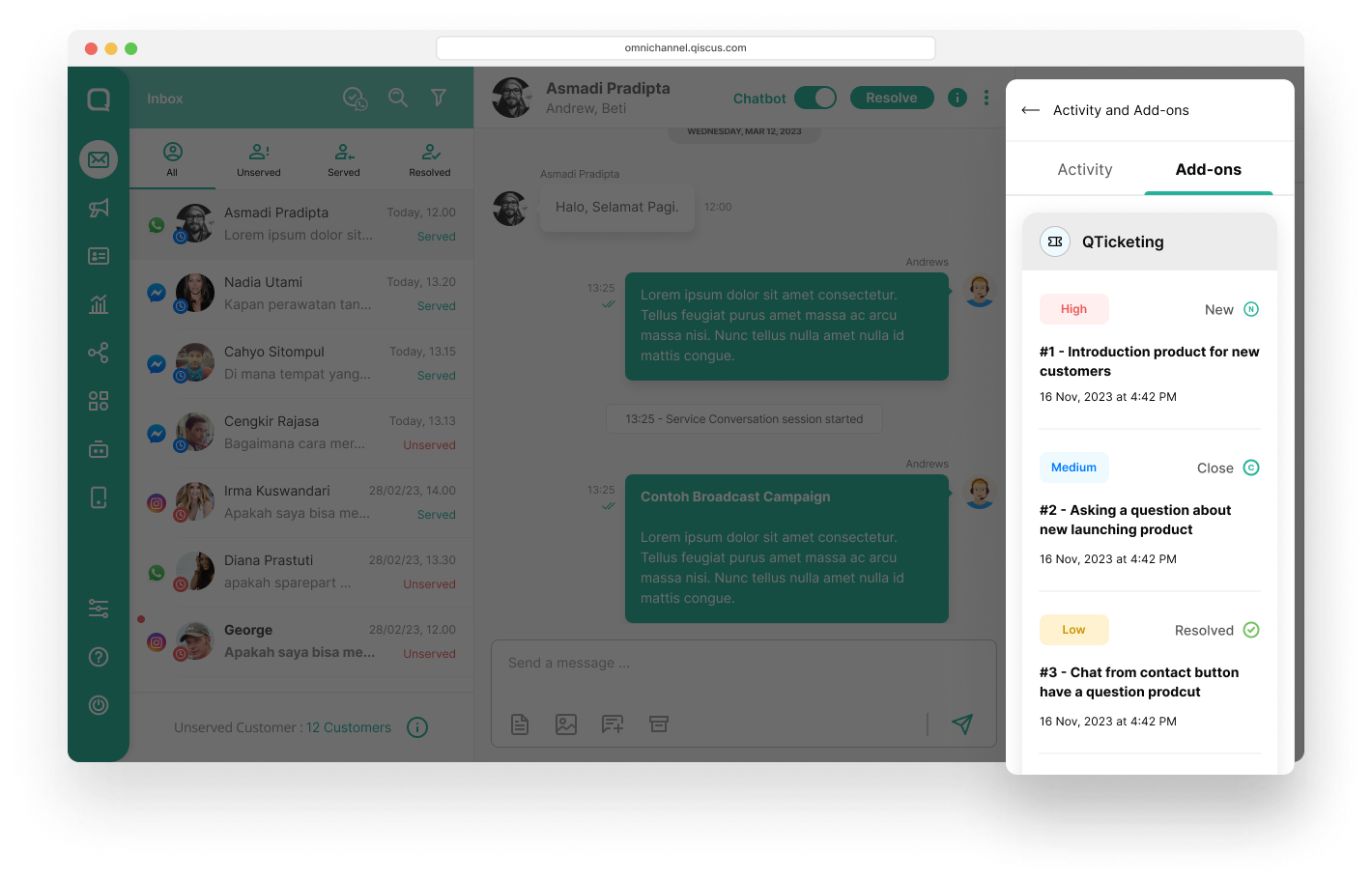
Customize your view by managing the position of CDP Add-ons. Utilize the sort button in the Customer Details page and go to CDP Add-On tab to arrange them according to your preferences.

Activate and control your CDP Add-ons with simplicity. Visit the App Center page, go to “Add-on Settings,” and find “CDP Add-ons.” Enable them seamlessly to tailor your Qiscus CDP.
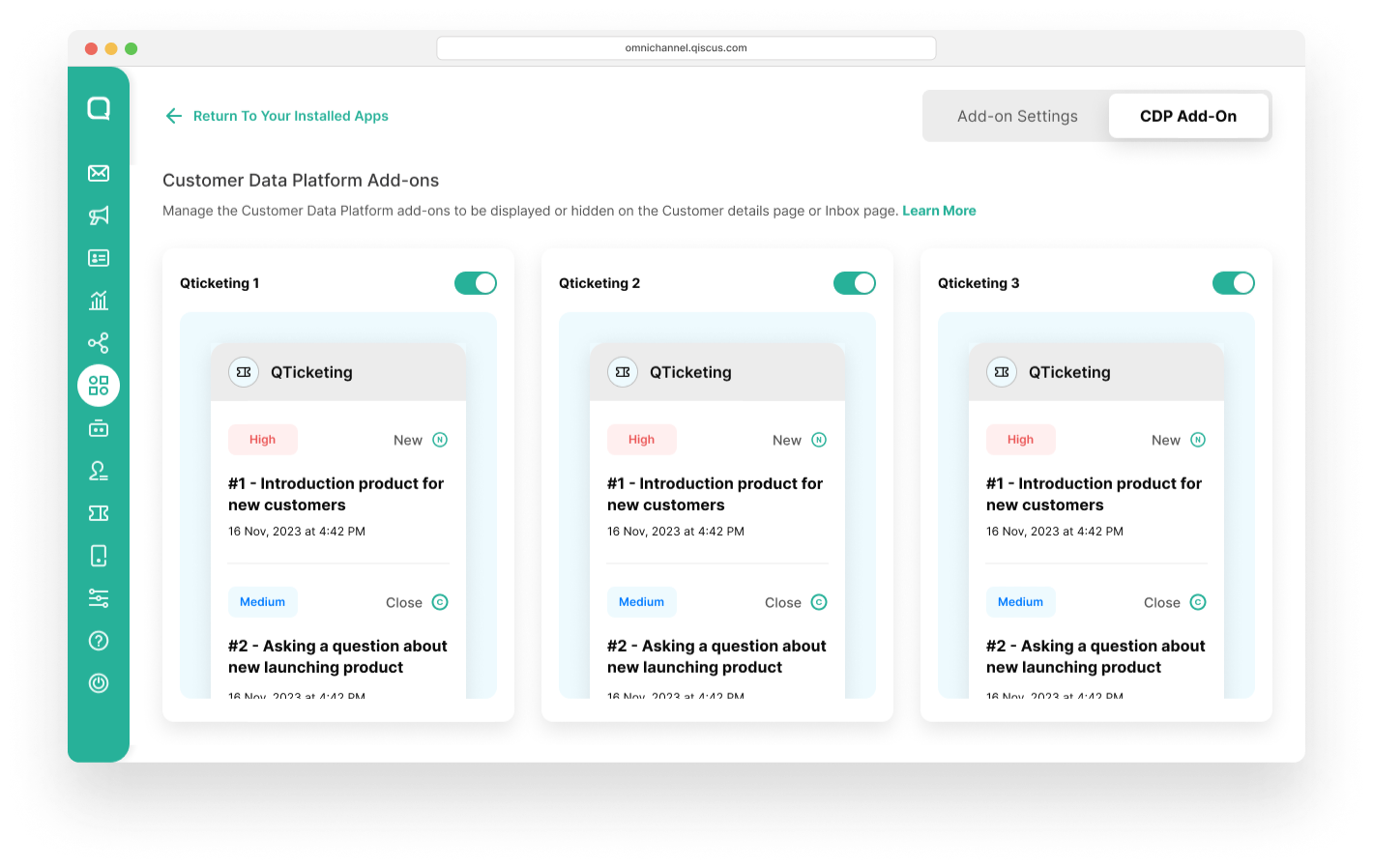
Currently, the QTicketing CDP Add-on is available, offering enhanced ticketing capabilities. Stay tuned for more!> > To activate the CDP Add-ons, you must first install the corresponding app center apps.
Have specific needs? Click the Contact Us button to request new CDP Add-ons. Your input is vital in shaping our platform to better meet your evolving requirements.
CDP Custom Activity
A standout feature of our Customer Data Platform (CDP) is the ability to incorporate external activities from third-party apps or external Qiscus sources. This functionality allows businesses to gain a more comprehensive understanding of their customers by aggregating additional data points into the customer profile.
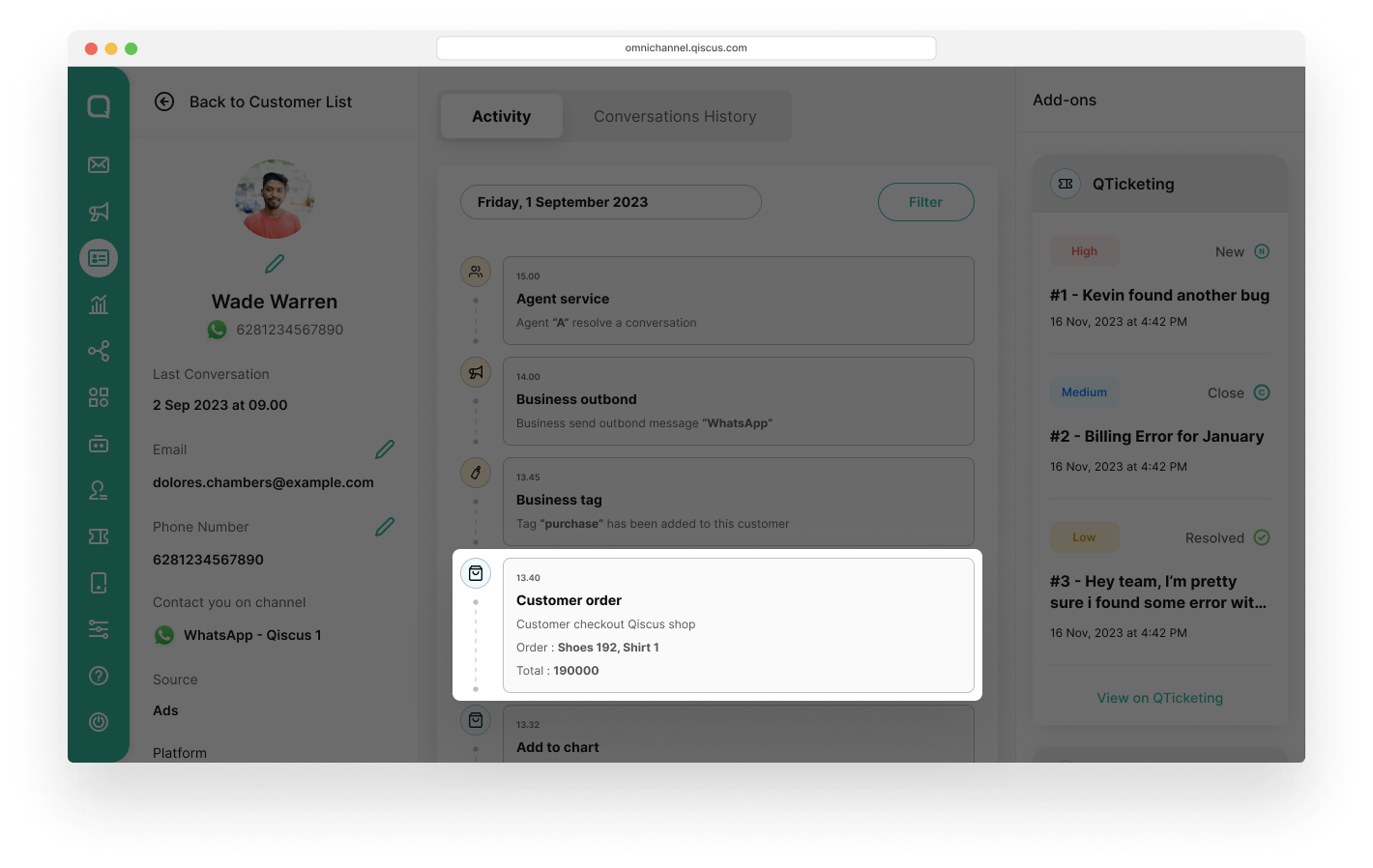
Please follow the docs to get more details.
cURL Sample:
curl --location -g '{{BaseUrl}}_api_v2_customer_activity_custom' \\
--header 'Qiscus-Secret-Key: {{secret-key}}' \\
--header 'Qiscus-App-Id: {{AppCode}}' \\
--data '{
    "identifier": "081xxxxxxx",
    "title": "Customer order",
    "description": "Customer checkout Qiscus shop",
    "event": "QISCUS_SHOP",
    "channel_id": xxx,
    "channel_source": "wa"
    "activity_properties": [
        {
            "key": "Order",
            "value": "Shoes 192, Shirt 1"
        },
        {
            "key": "Total",
            "value": "190000"
        }
    ]
}'
If a business has the same customer identifier but the customers originate from different channels, then custom activity will be directed to the most active-based last message of the customer.
Leave a Reply