Due to WhatsApp’s policy about new WhatsApp pricing. WhatsApp changes its charge with a conversation-based price. The conversation started when the business sends a message and will be valid for 24 hours.
WhatsApp integration allows you to connect to your customers through WhatsApp application. Before integration, there are some requirements that you should have.
- A phone number you have access to, owned by your business.
- A Facebook Business Manager for your business.
There are some notes that you should be aware of.
You must use a new phone number to sign up. It can not be used if your number was signed up for the WhatsApp Business App or the WhatsApp Messenger App.
Once your phone number is registered with the WhatsApp Business API, you cannot use the WhatsApp Messenger App or the WhatsApp Business App. To use the WhatsApp App again, you can downgrade from the WhatsApp Business API by requesting assistance from our support team. However, if you agree to the downgrade, you will lose access to the its:
- Display name and profile
- Official business account status (if applicable)
- Messaging limit tier and quality rating
- Chat history and data insights
Your Business must be verified by Facebook.
Your WhatsApp Broadcast Template should have been verified from WhatsApp and have enough credit or free session to start a conversation.

WhatsApp’s Conversation-Based Pricing 2023
WhatsApp new pricing model
WhatsApp officially released the new pricing in 2023 on June 1, 2023. Businesses using the WhatsApp Business Platform will be charged per 24-hour conversation, with different rates by conversation category. Business-initiated conversations will be split into three new categories: utility, authentication, and marketing. Meanwhile, user-initiated conversations will be called service conversations.
Based on the new rates, Marketing conversation rates will be more expensive than Utility and Authentication conversations. You can see the updates to conversation-based pricing here. You can also download the rate cards on the same page for more details about the changes to the new WhatsApp pricing. Related to this change, you can see our rates here.
The difference between current pricing and new Conversation Based Pricing Model 2023
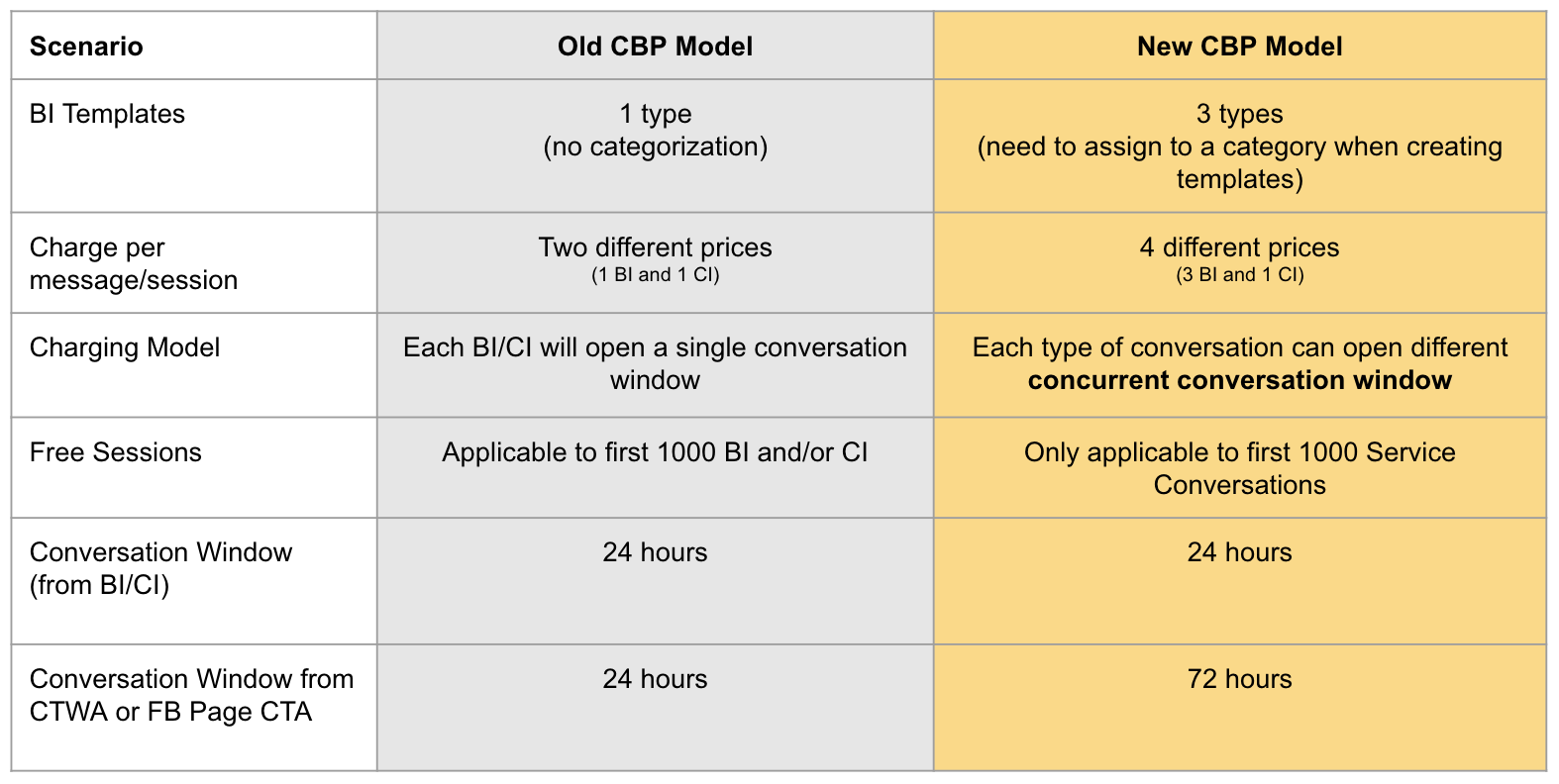
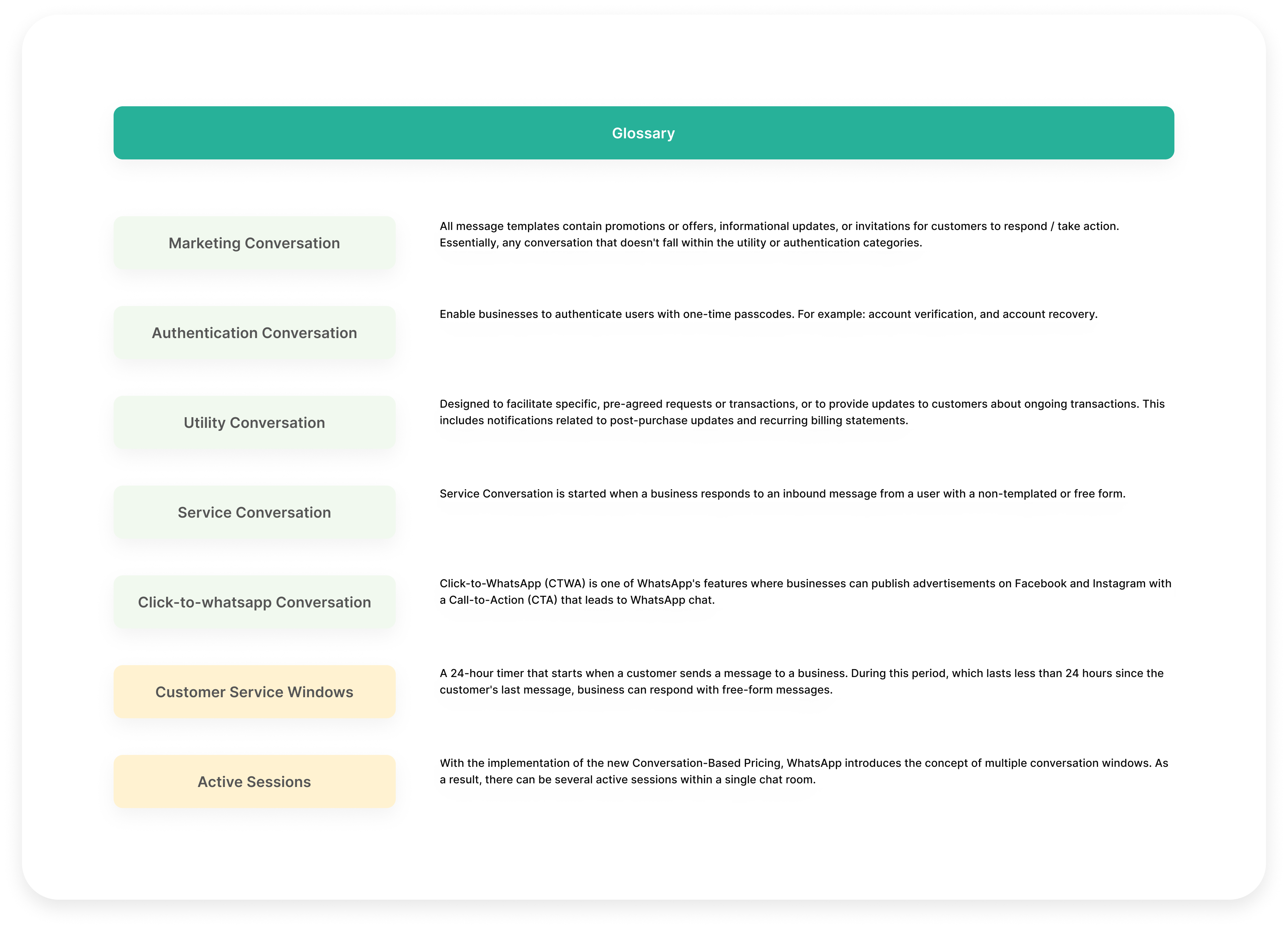
When a customer sends a message to a business, a 24-hour timer called a customer service window begins. During this period, which lasts less than 24 hours since the customer’s last message, you can respond with free-form messages. However, if it has been more than 24 hours since the customer’s last message, you will be outside the customer service window and must use a message template to send a message. Learn more about customer service window here.
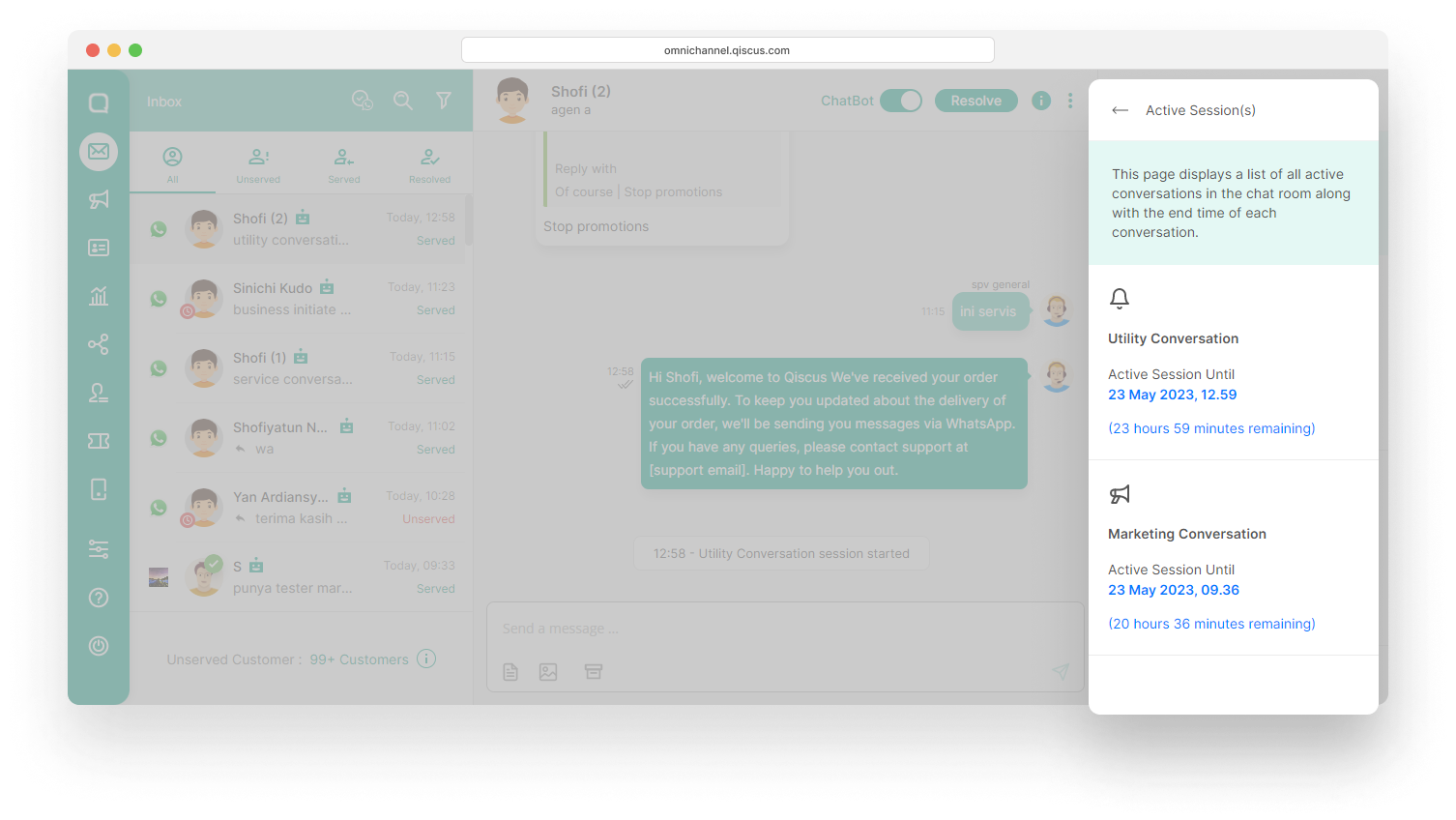
Active Sessions in the Inbox menu
With the implementation of the new Conversation-Based Pricing, WhatsApp introduces the concept of multiple conversation windows. As a result, there can be several active sessions within a single chat room. To view the currently active sessions in a chat room, click the Chat & Customer Info page and select Active Session(s). On this page, you can see a list of all active conversations in the chat room along with the end time of each conversation.
When the session starts from the WhatsApp Ads or Facebook CTA button, businesses can send anything for free for 72 hours.
Sending Broadcast
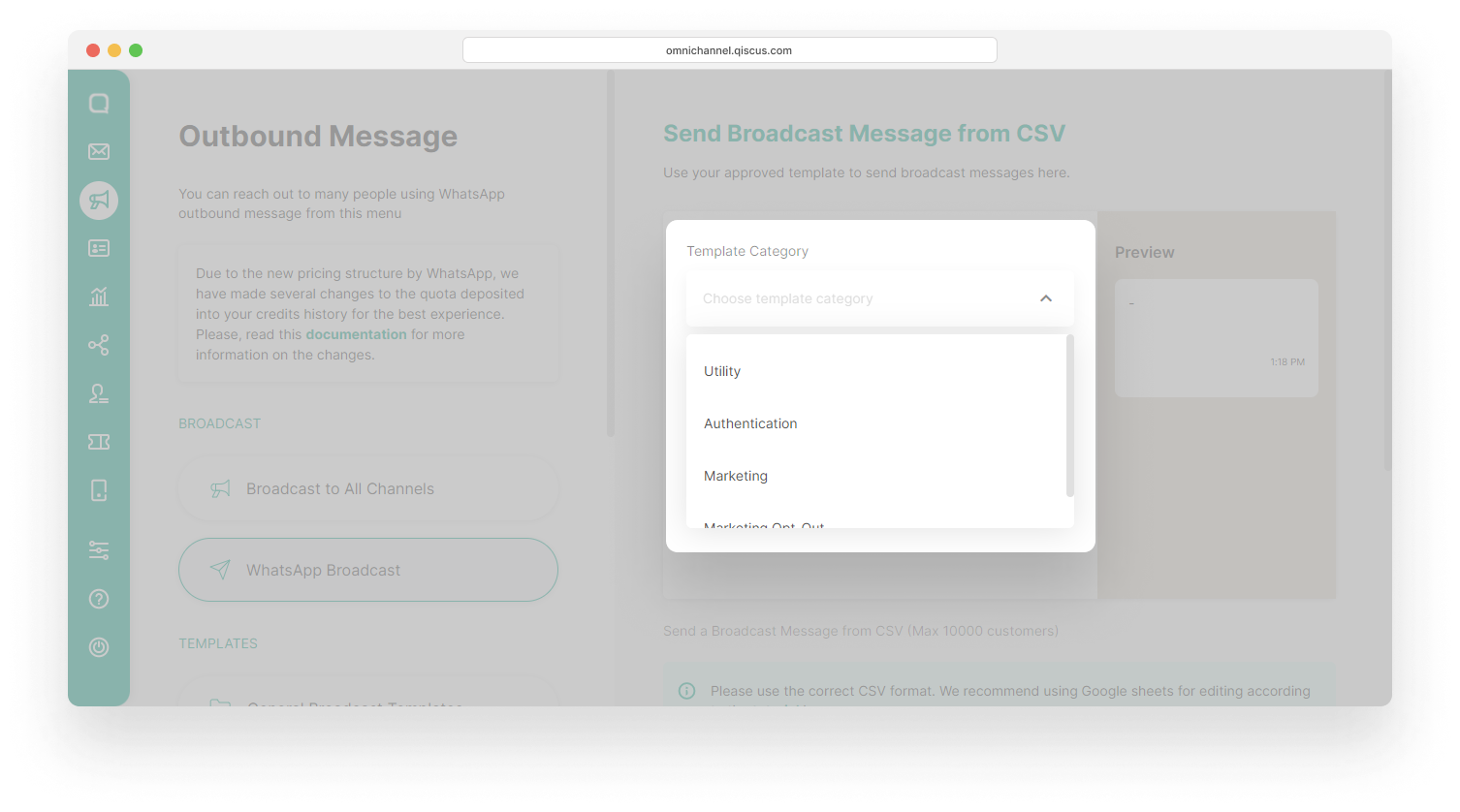
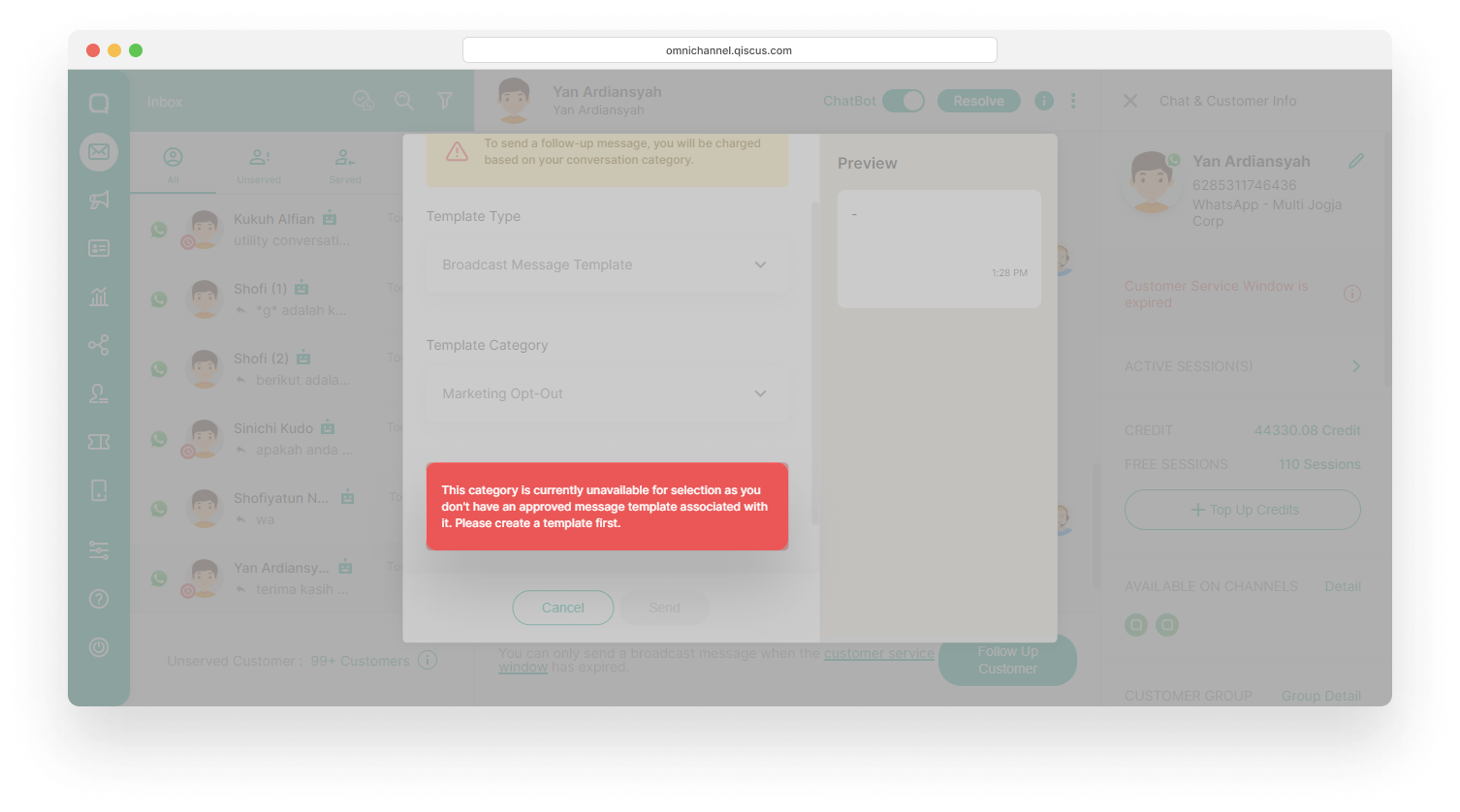
Due to the new WhatsApp pricing is based on conversation categories, you are required to select a template category first before sending broadcasts via the Outbound Message menu.
The same thing applies when you are going to send a broadcast via the Inbox menu. You are required to select a template category after selecting a Template Type.
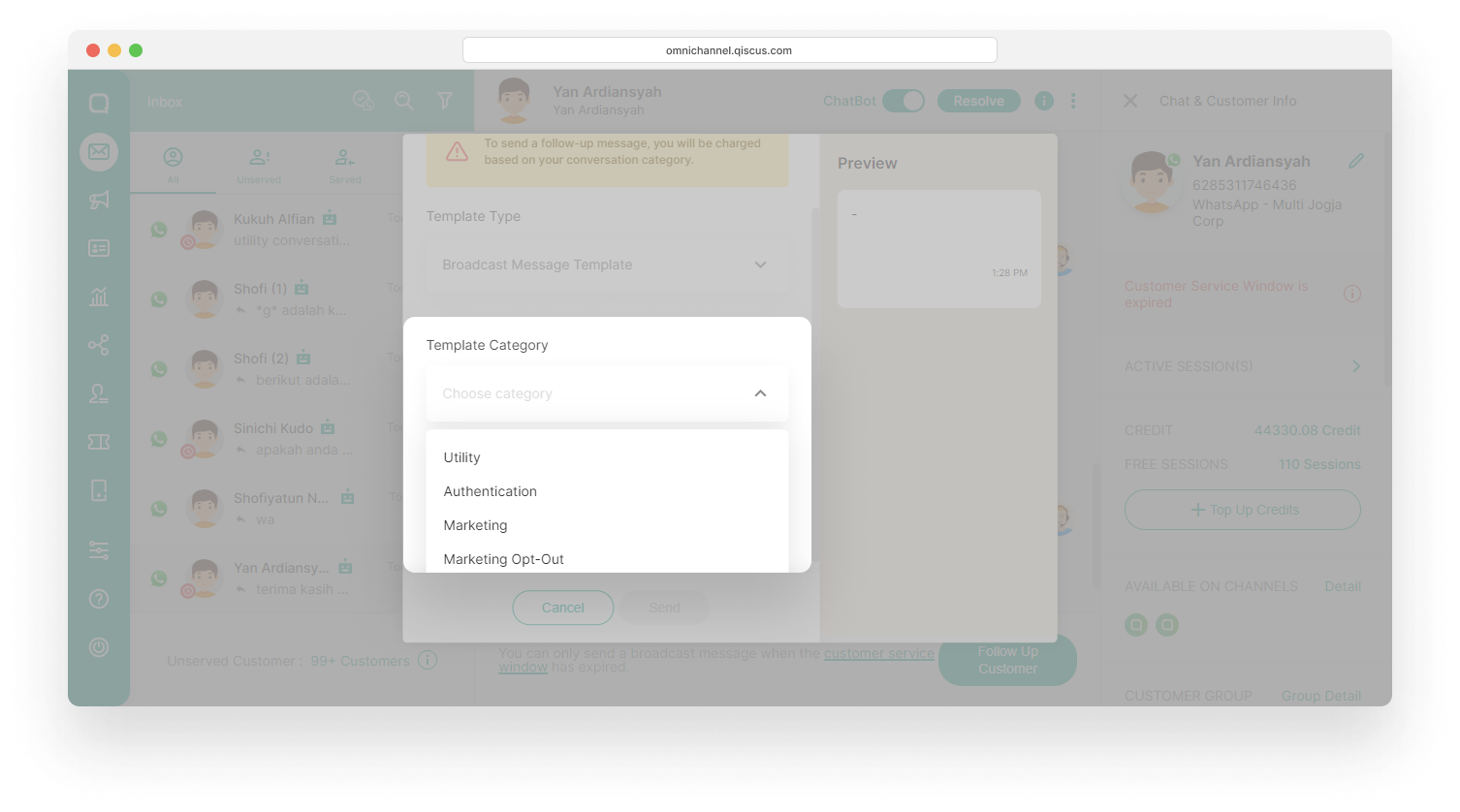
However, if you don’t have an approved template for a specific category, you will receive a notification indicating that the category is currently unavailable.
One of the latest features from Qiscus is the button broadcast template, which enables you to send broadcast templates in a chat room when the last customer message was received less than 24 hours ago.
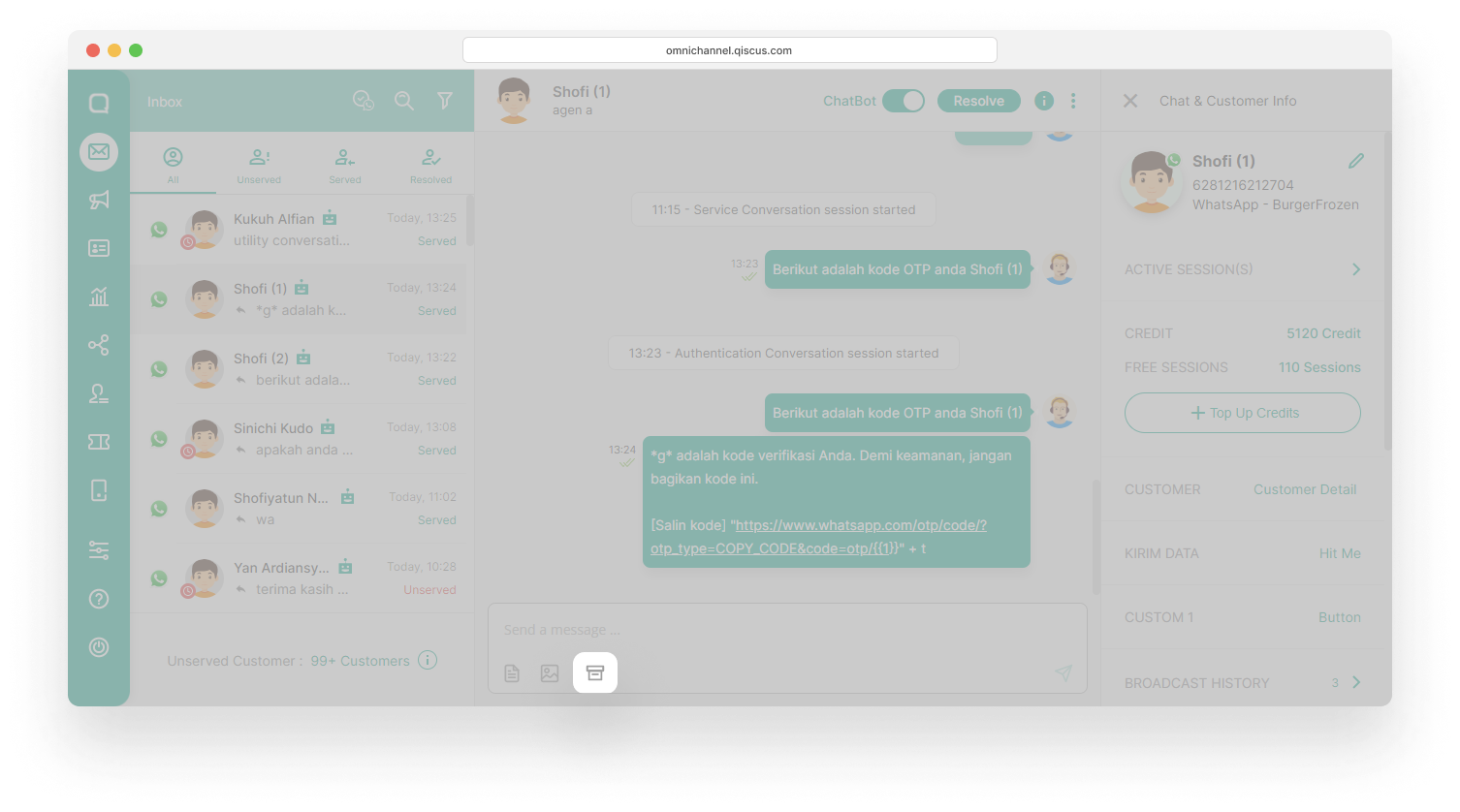
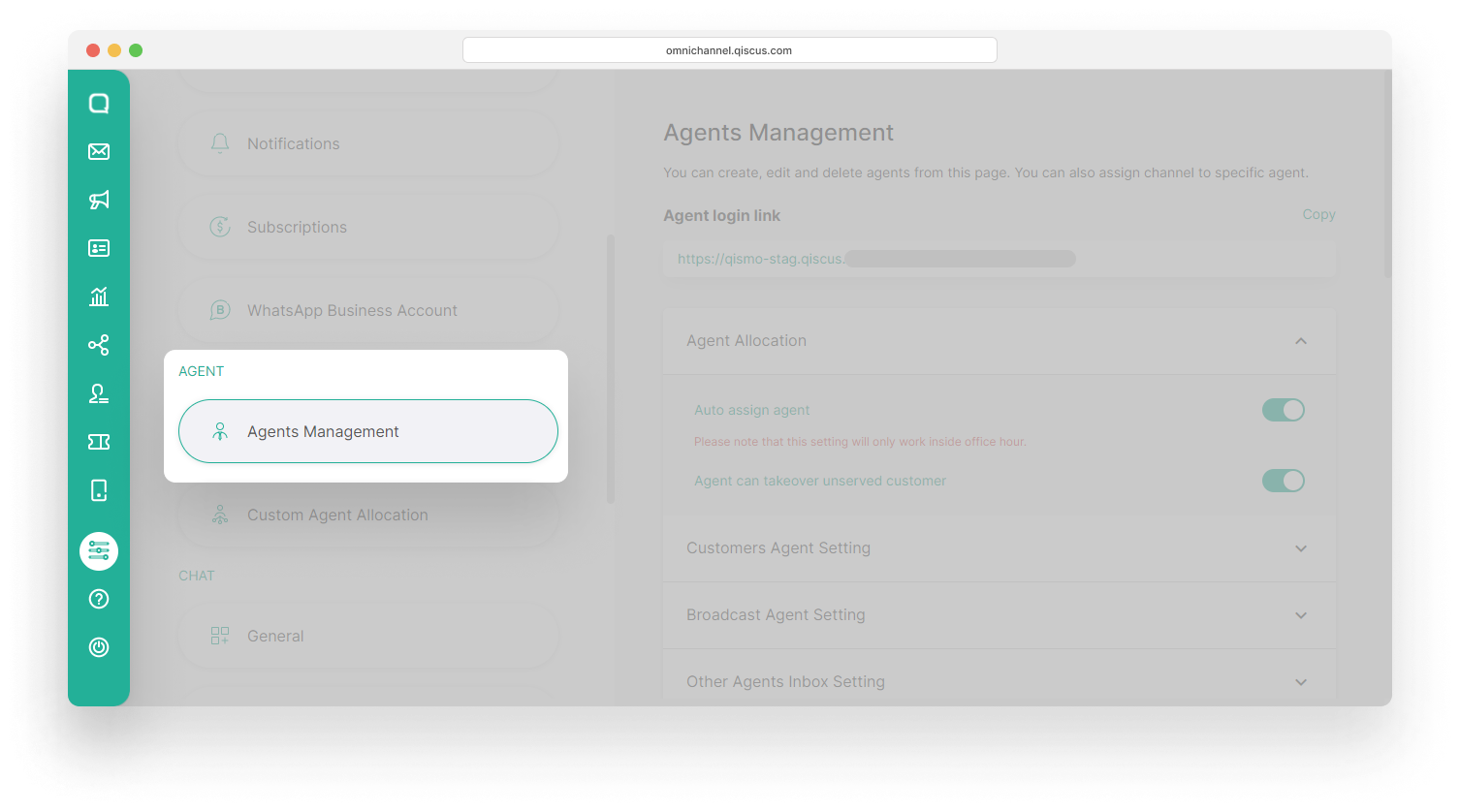
You can choose whether to display this button on the Agents dashboard or not in the following way:
- Go to Setting and select Agents Management,
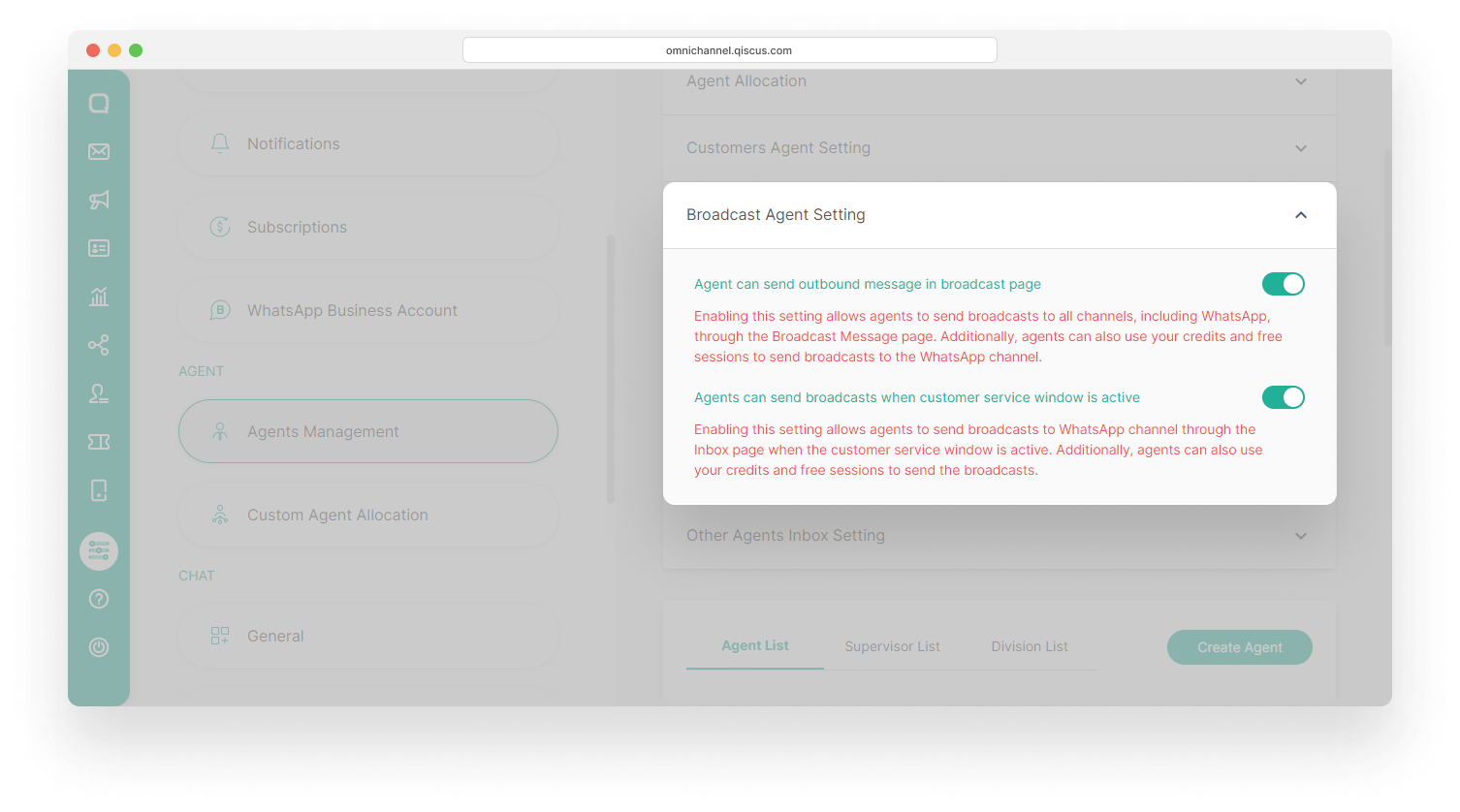
- Select Broadcast Agent Setting and enabled or disabled the Agents can send broadcasts when customer service window is active.
Analytics
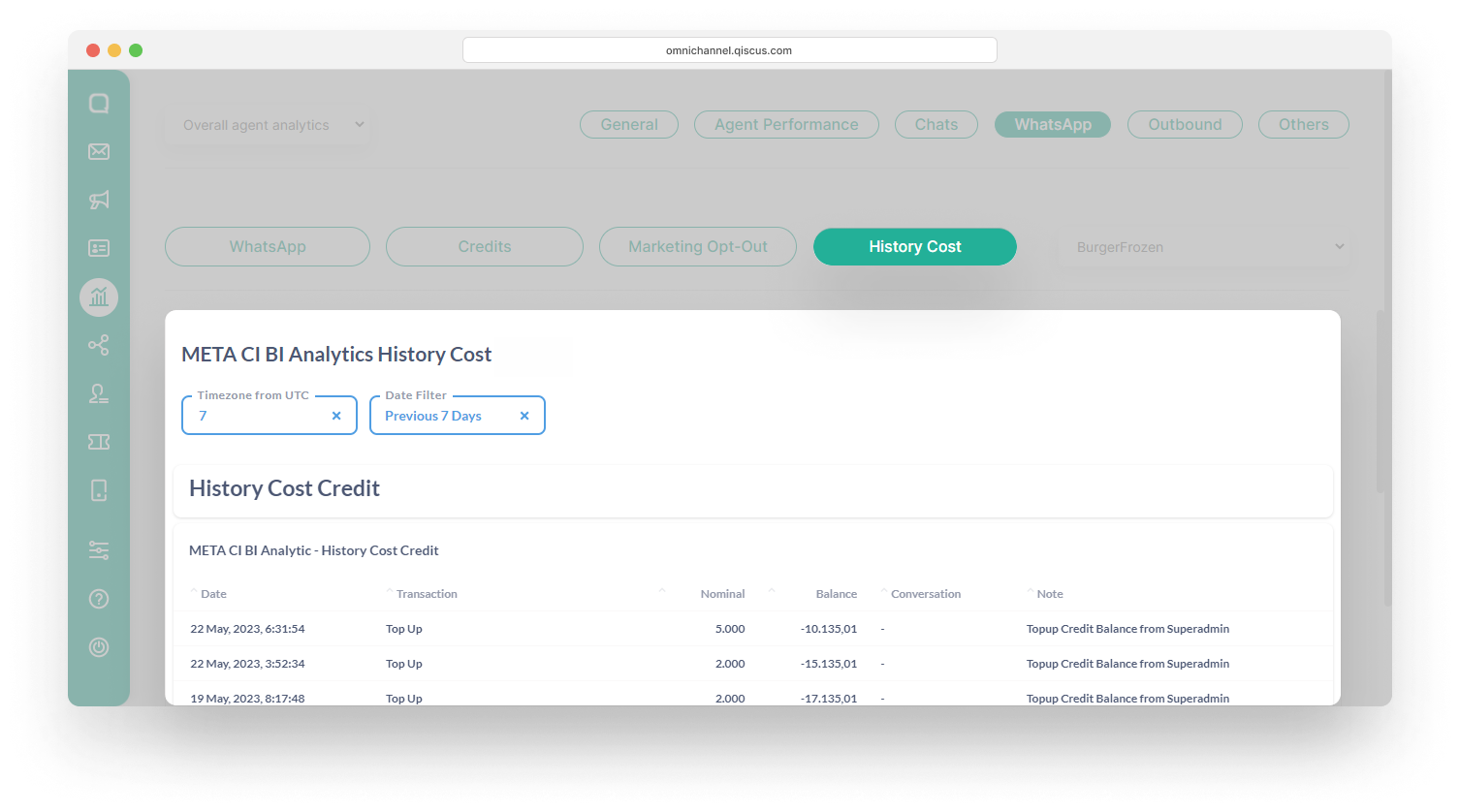
The Analytics menu has been updated to provide you with a more convenient way to access your chat history and track the usage of credits and free sessions. To view the changes in the analytics report, you can follow the steps below:
- Go to the Analytics menu and select WhatsApp,
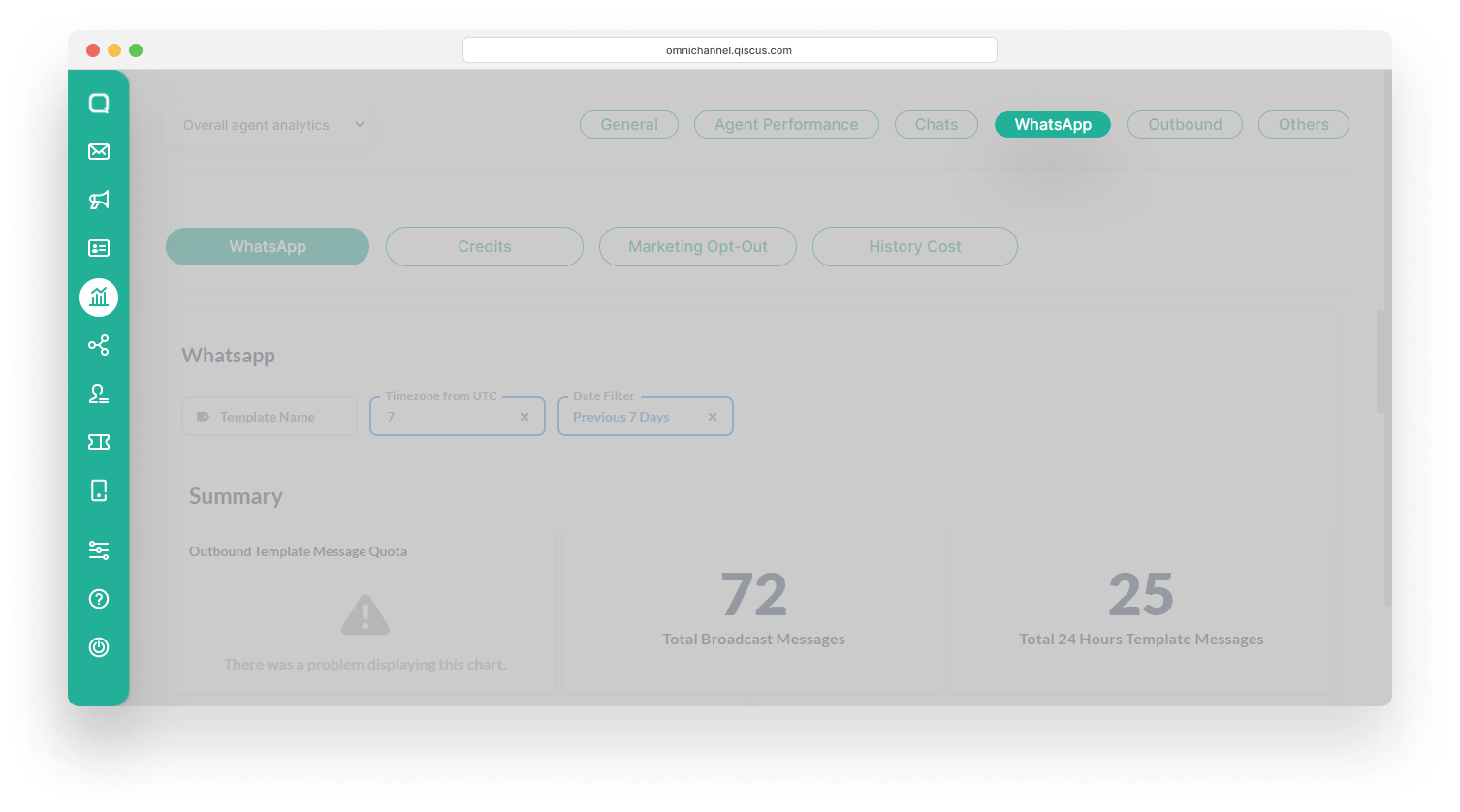
- Select Credits to view the estimated usage of credits for each conversation category,
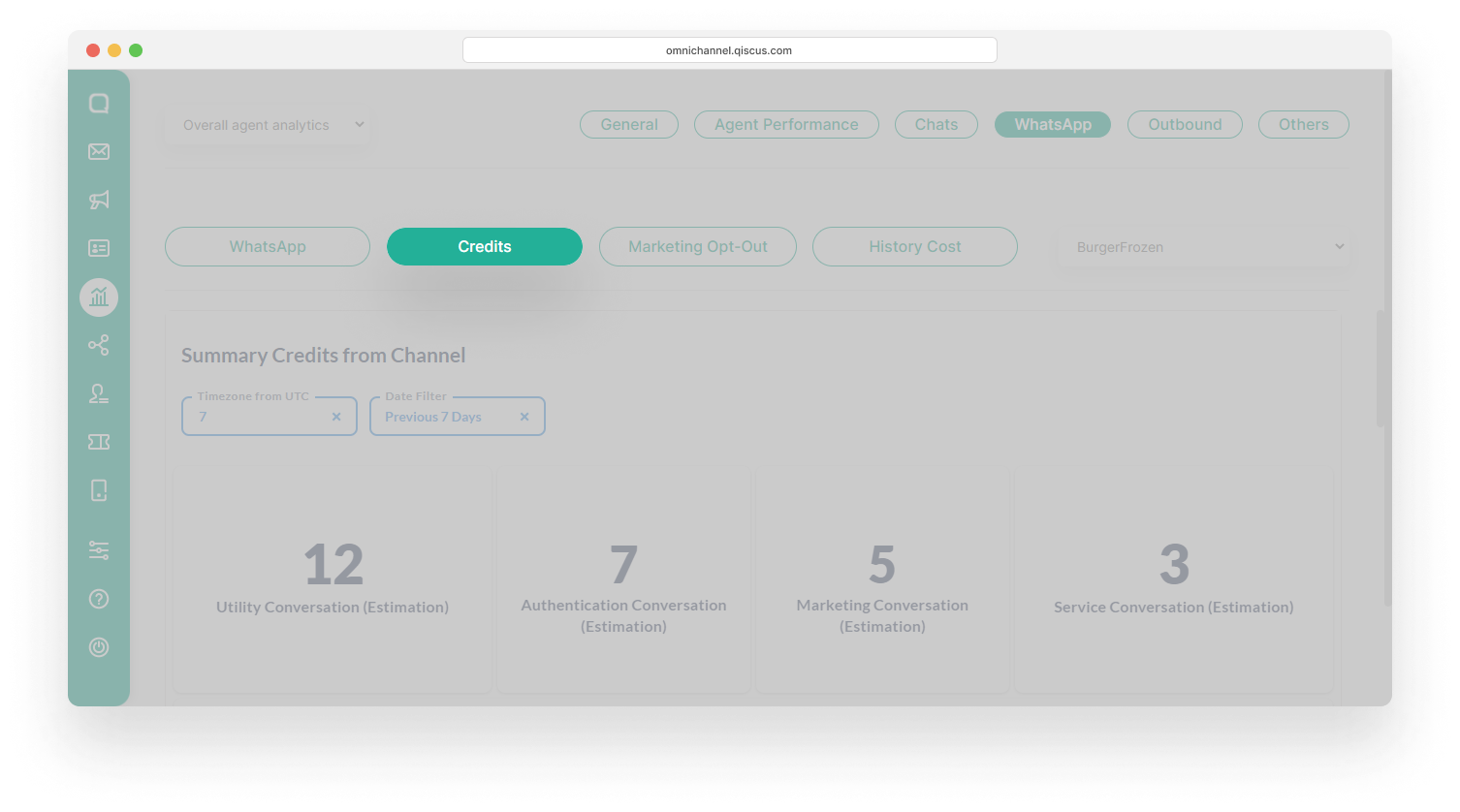
- Select the channel you want from the dropdown on the right,
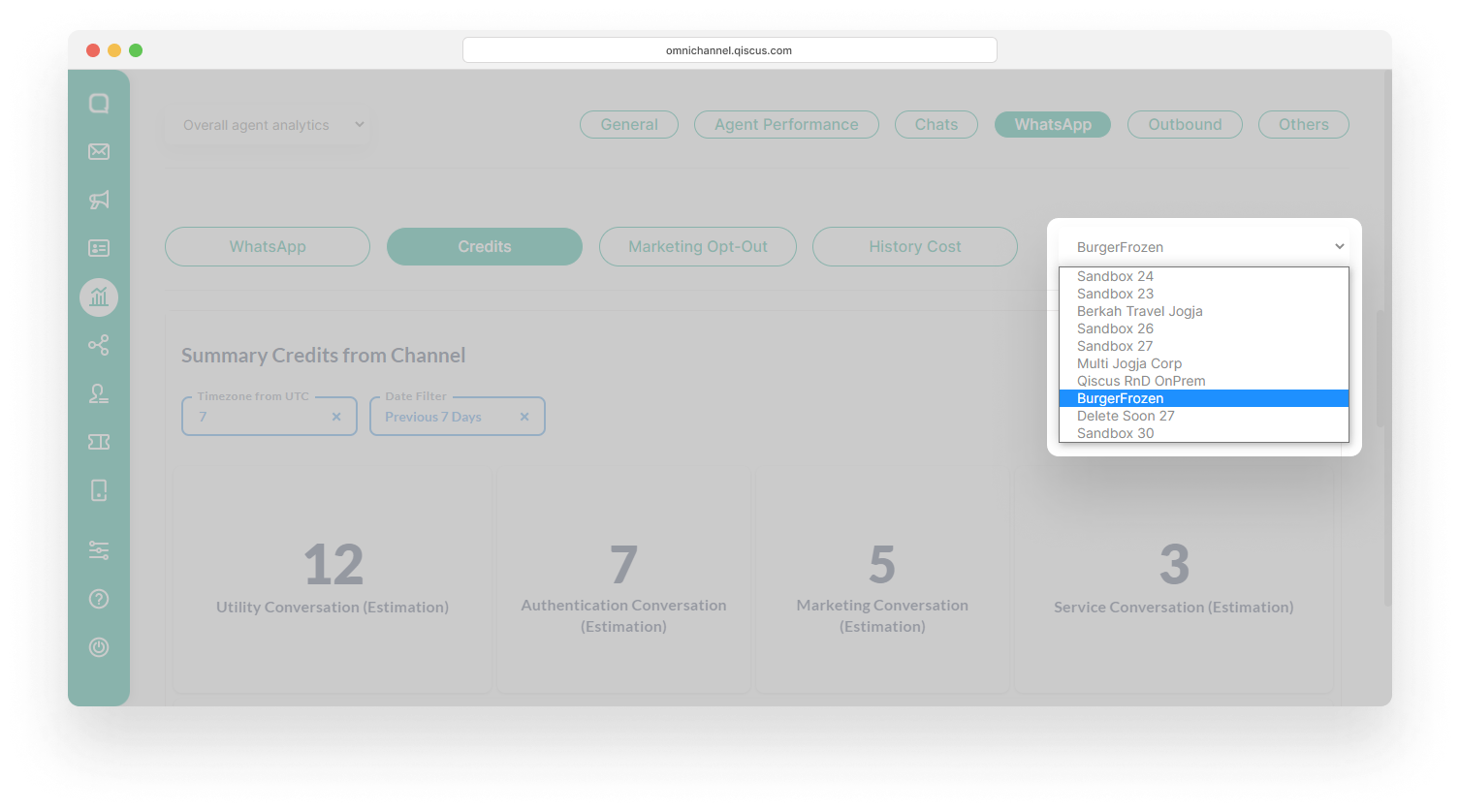
- Select History Cost to track the cost history of credits and free sessions.
Use Cases
We have created several use cases that can make it easier for you to understand WhatsApp Conversation-Based Pricing.
Use Case 1: Service Conversation Session Started
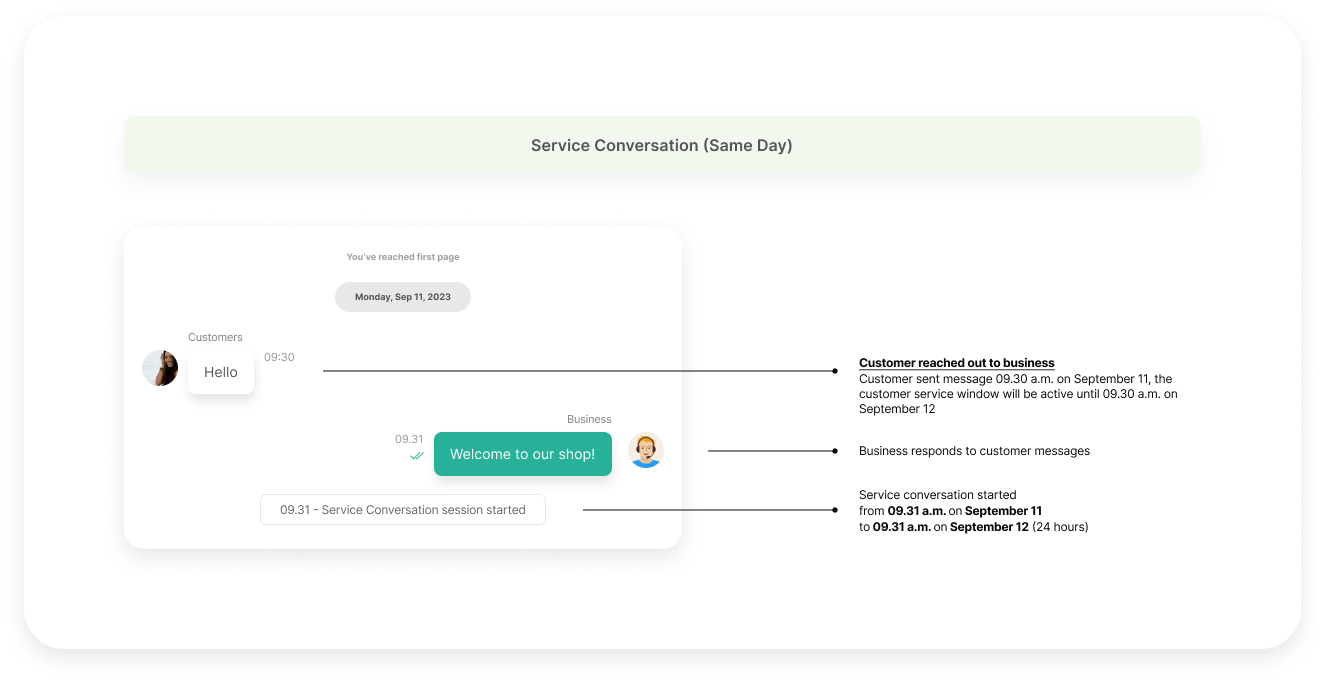
As you can see in the image above, a Service Conversation session is started when a business replies to a message sent by a customer in less than 24 hours, or when the customer service window is still active. Business cannot reply to customer messages using free form outside the customer service window.
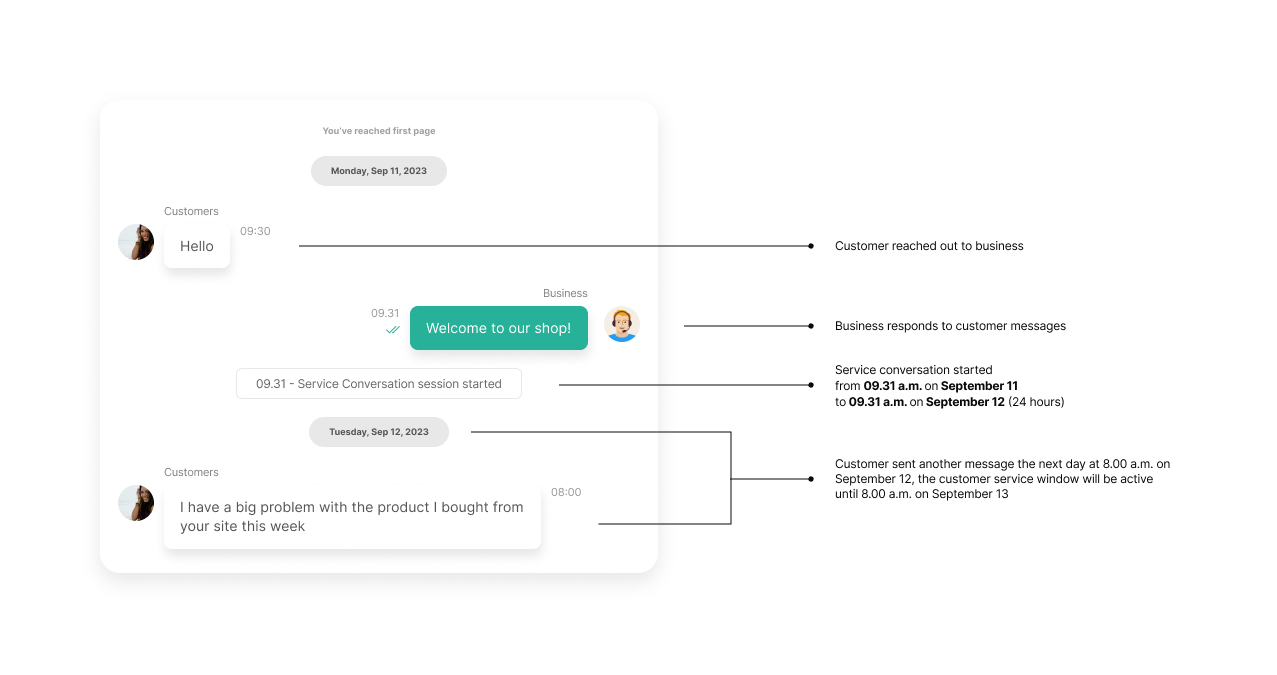
If the customer sends another message while the customer service window is still active, the customer service window period will change according to the time of the customer’s last message.
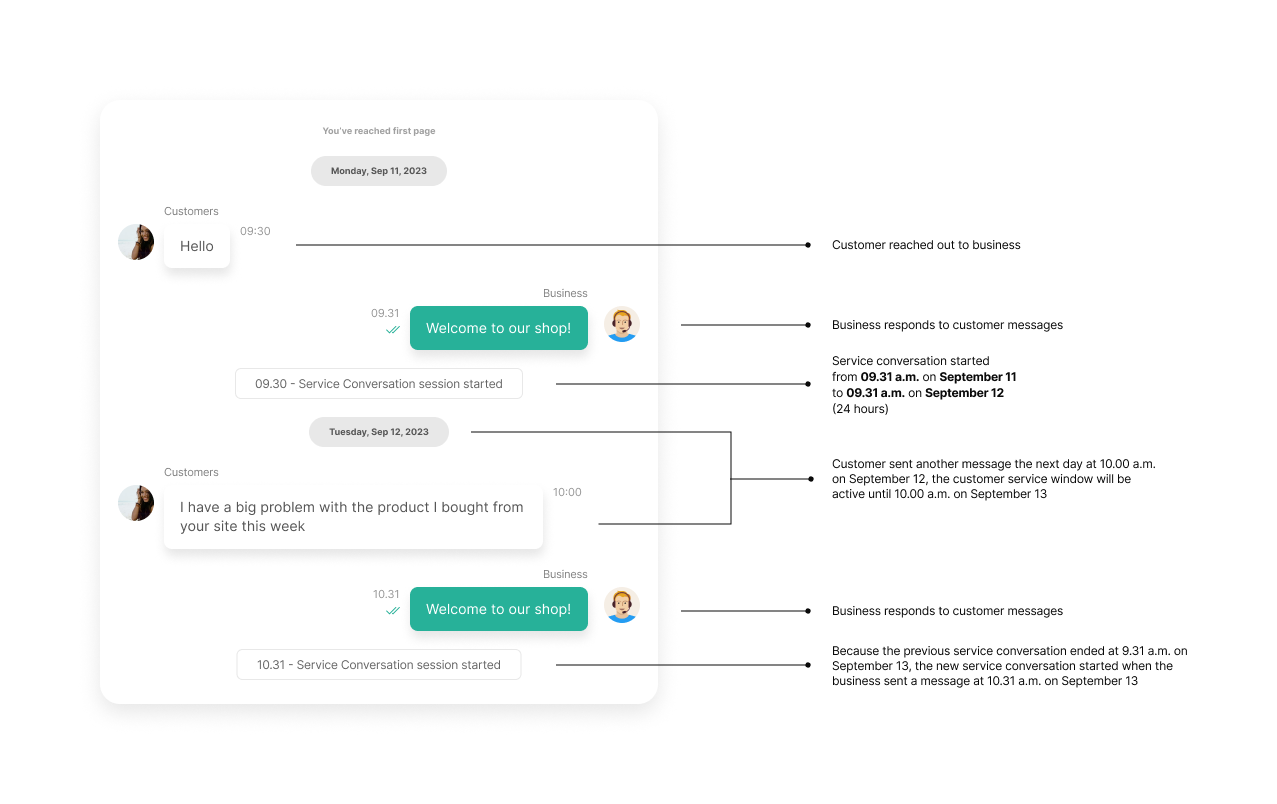
Use Case 2: Click-to-WhatsApp Session Started
Different from other categories, conversations that start from a customer clicking on a CTWA ad have a longer customer service window, 72 hours. During this time, business can respond with any type of WhatsApp message (including marketing templates) for free.

Use Case 3: One Business-Initiated Conversation Session Started
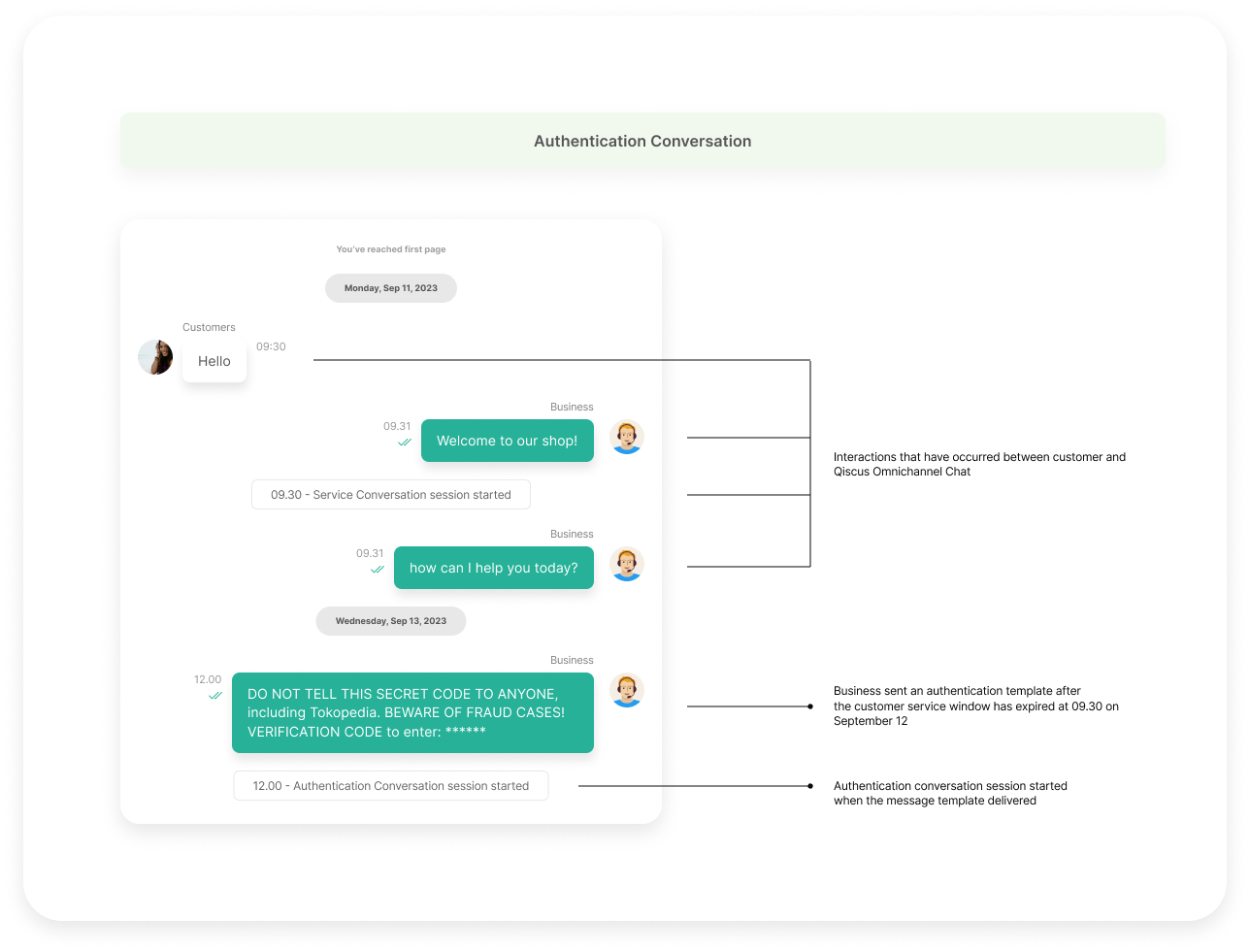
In contrast to service conversations and CTWA sessions, business-initiated conversations begin when a business sends a template to a customer. This applies to all categories: utility, Authentication, and marketing. Example for marketing conversation:
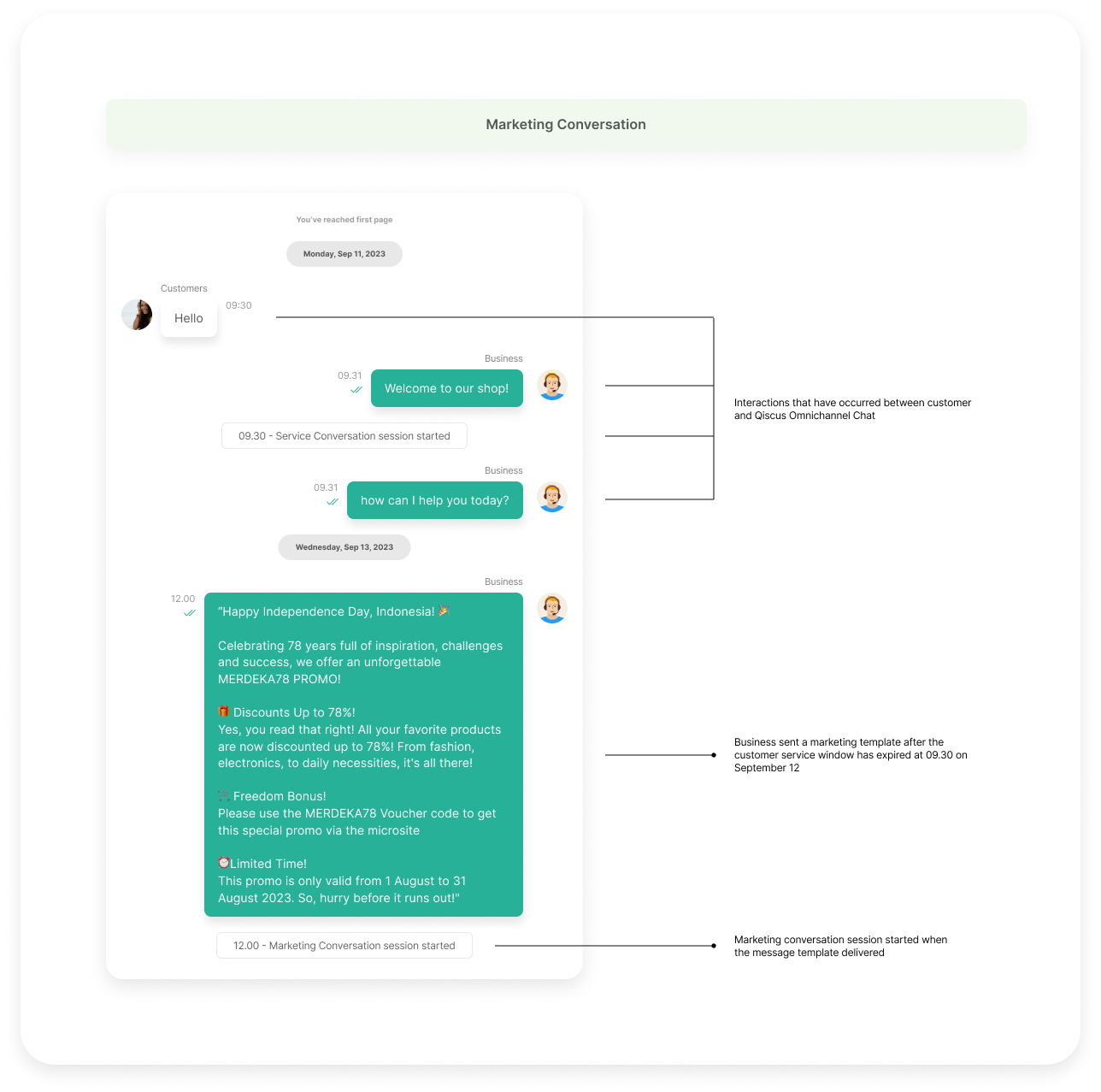
Example for authentication conversation:
Example for utility conversation:
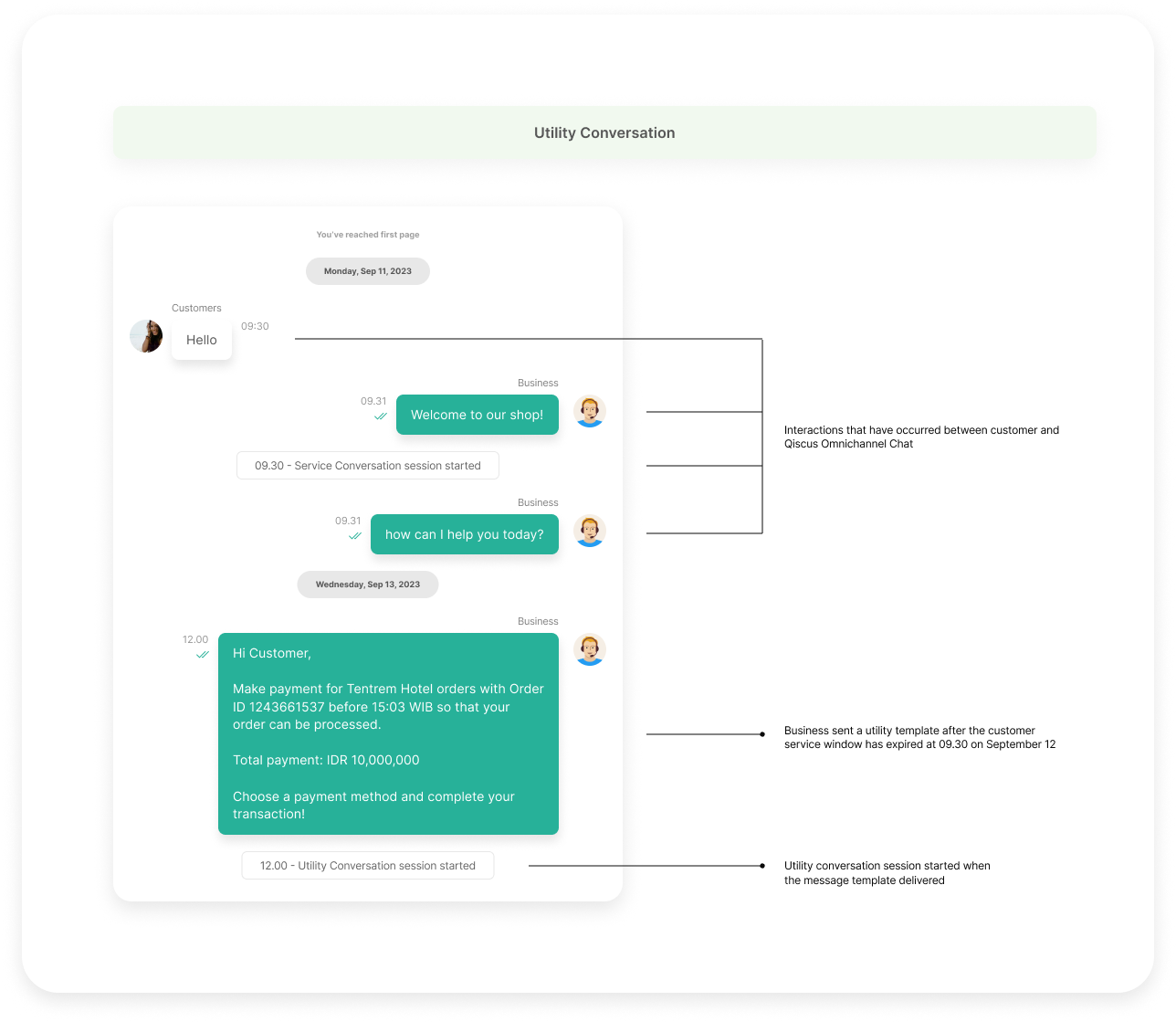
Please keep in mind that if the customer service window is no longer active, you cannot send messages to customers using the free form.
Use Case 4: Send Templates in the Same Category
One session for business-initiated conversation is 24 hours. During this time, you can send more than one message template in the same category without additional fees. For example, if you send a marketing template at 12.00 p.m. on September 12, then you can send another marketing template with a maximum limit of 12.00 p.m. on September 13 or 24 hours after the first template is sent.

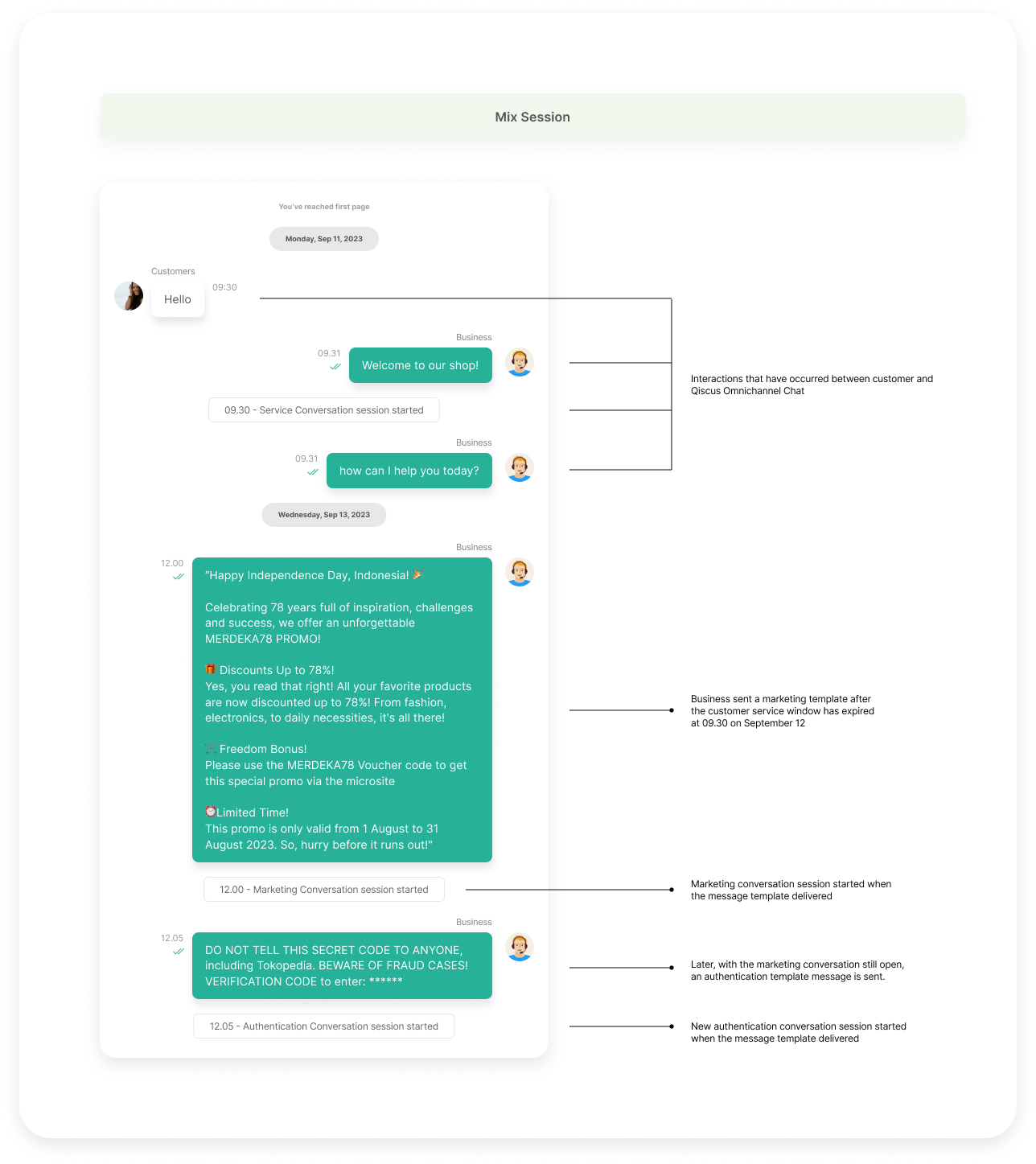
Use Case 5: Multiple Conversation Windows
WhatsApp introduces the concept of multiple conversation windows where there can be more than one active conversation. However, if you have an active conversation session but send a message template in another category, you will be charged an additional fee. For example, if you send a marketing template at 12.00 p.m. on September 12, then send an authentication template at 12.05 pm on September 12, you will be charged for the marketing conversation and also the authentication conversation.
Glossary
Leave a Reply